
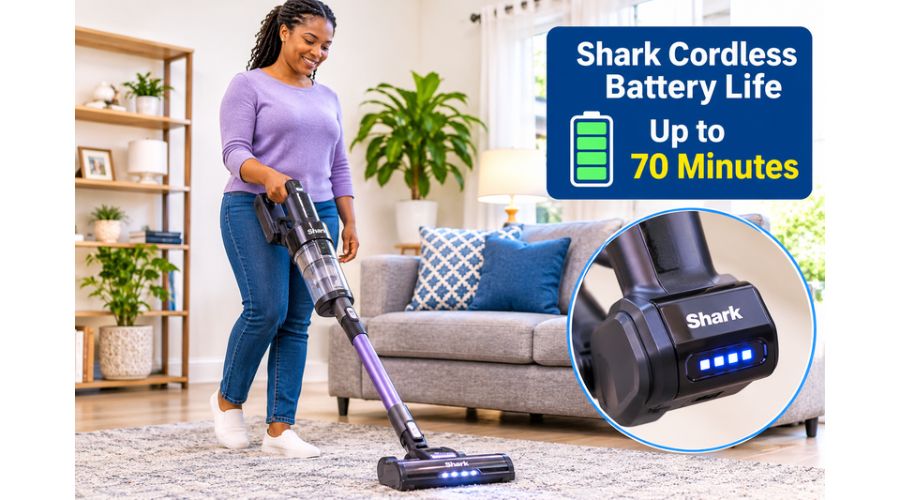
A Shark cordless vacuum makes cleaning easier because you can move from room to room without worrying about plugging and unplugging a power cord. However, that convenience depends on one important component: the battery.
If your vacuum keeps running out of power before you finish cleaning, or you have noticed that it no longer holds a charge as long as it used to, you may be wondering how long a Shark cordless battery should last.
The answer depends on your Shark model, cleaning mode, floor type, and battery condition. Some models go up to 60 or 70 minutes of runtime, but that does not mean you will get the same cleaning time when using maximum suction. Battery charging time and replacement options also vary between models.
In this guide, we’ll explain how long Shark cordless batteries last, how to identify charging problems, and where to find a compatible replacement when your battery starts letting you down.
Also Read:
How Long Does a Shark Cordless Battery Last?
A Shark cordless vacuum battery can last about 10 to 70 minutes per charge, depending on the model and how you use it. The advertised maximum runtime doesn’t guarantee the vacuum will clean for that long in every setting. Higher suction modes, motorized floorheads, thick carpets, and other demanding cleaning conditions can drain the battery much faster.
For example, Shark’s official support information for one cordless model gives an approximate runtime of 40 minutes when using the handheld vacuum alone. That drops to around 25 minutes on bare floors, 20 minutes on carpet, and approximately 10 minutes when Boost mode is activated. These figures show why it is important to distinguish between a manufacturer’s maximum runtime and the time you can expect during everyday cleaning.
Other Shark models offer longer advertised runtimes. The PowerDetect IP1000UK series, for example, can provide up to 70 minutes in ECO mode under the manufacturer’s stated test conditions. Some Shark cordless models advertise up to 60 minutes, while older or smaller handheld models may offer considerably less.
What determines how long a Shark battery lasts per charge?
Several factors influence how much cleaning time you get from a fully charged Shark cordless vacuum.
The cleaning mode you select
The suction setting strongly affects battery consumption. ECO, or low-power mode, uses less energy and is generally the best choice for hard floors or light everyday tasks. Standard or carpet mode uses more power to lift dirt from thicker surfaces, while Boost mode demands considerably more energy from the battery.
If you use maximum suction throughout the house, expect the battery to run down much faster than the advertised maximum runtime. Reserve Boost mode for stubborn dirt, concentrated messes, or areas that need extra suction.
The type of floor you are cleaning
Cleaning a smooth tile, hardwood, or laminate floor usually requires less effort than cleaning a thick carpet. Carpet fibers hold dust, hair, and debris more firmly, so the vacuum may need greater suction and more brushroll effort to remove them.
That is why a Shark vacuum may run longer on bare floors than on carpets. Shark’s published runtime figures for one model illustrate this difference: approximately 25 minutes on bare floors compared with 20 minutes on carpet, before Boost mode is used.
The condition and age of the battery
Shark cordless vacuums use rechargeable lithium-ion batteries. Like other lithium-ion batteries, their capacity naturally decreases with use and age. A new battery that once provided a full cleaning session may gradually begin to lose runtime.
If your vacuum is several years old and now shuts down much sooner than it used to, battery wear may be responsible. However, don’t assume the battery is faulty right away. Blocked airflow, dirty filters, a clogged brushroll, or overheating can also affect performance.
The accessories and attachments you use
Motorized floorheads and powered accessories can draw more energy than using the handheld vacuum alone. If your model has a powered brushroll, anti-hair-wrap head, or other motorized attachment, the battery may drain faster depending on the cleaning mode and surface.
Maintenance and airflow
A vacuum with a full dust cup, dirty filters, or a blocked wand has to work under less favorable conditions. Poor airflow can contribute to overheating and automatic shutdowns.
Empty the dust cup regularly, clean the filters as directed in your manual, and remove hair or debris wrapped around the brushroll.
How long should a Shark cordless battery last before replacement?
Battery runtime per charge differs from the battery’s overall working life. Runtime describes how long the vacuum operates after charging. Battery lifespan describes how long the battery remains useful before its capacity becomes too low for your cleaning needs.
No single replacement interval applies to every Shark cordless vacuum. Battery life depends on the model, how often you use it, your charging habits, storage conditions, and how much you rely on high-power settings. A battery used for short cleaning sessions in moderate conditions may remain useful longer than one regularly pushed to its limits.
Consider a replacement when a fully charged vacuum consistently runs for only a few minutes, shuts down unexpectedly, or loses power much faster than when it was new. First, however, rule out charging problems, blocked filters, and overheating. If the battery is removable, check whether Shark provides a compatible replacement for your exact model. Shark confirms that its cordless batteries are replaceable, although the correct battery depends on the vacuum series.
How Long Does a Shark Cordless Vacuum Take to Charge?
A Shark cordless vacuum can take about 2.5 to 6.5 hours to fully charge, depending on the model, battery design, and charging setup. Some older or smaller models charge in around three to four hours, while certain newer stick vacuums require five or six hours. So always check the owner’s manual rather than assuming every Shark vacuum uses the same charging time.
For example, Shark’s support information for one cordless model states that a full charge takes approximately 3.5 hours. Its IW3000 series documentation gives a charging time of about five hours, while another model’s guide lists approximately 6.5 hours. The newer PowerDetect IP1000UK series also specifies around six hours for a full charge.
How to charge a Shark cordless vacuum correctly
Charging a Shark cordless vacuum is generally straightforward. Still, the exact method depends on whether your model charges on a wall dock, floor stand, or directly through a port on the battery or handheld unit.
1. Switch off the vacuum: Make sure the vacuum is powered down before connecting it to the charger. Some models will not operate while connected to the charging cable.
2. Check the charging arrangement: If your vacuum uses a charging dock, position it correctly and ensure the charging contacts are aligned. For models with a direct charging port, connect the supplied charger to the correct socket.
3. Use the correct charger: Shark recommends using its approved chargers and charging docks. A charger with the wrong output or connector may fail to charge the battery properly or could damage the equipment.
4. Allow the battery to charge: Leave the vacuum connected for the period specified in its manual. Don’t judge charging status by time alone; check the indicator lights to see whether charging is progressing.
5. Confirm that charging is complete: Depending on the model, the lights may become steady or switch off when the battery is full. Don’t assume a dark indicator always means charging has failed.
Can you leave a Shark cordless vacuum charging overnight?
Leaving a Shark cordless vacuum on its approved charging dock is acceptable. Some Shark documentation specifically explains that leaving the unit plugged in will not damage battery life. However, charging arrangements and recommendations vary, so check the instructions for your particular model.
Also keep the charging area dry, well-ventilated, and away from extreme temperatures. Do not cover the battery or charger while charging, and stop using the equipment if you notice unusual heat, swelling, a burning smell, or visible damage.
How can you tell when a Shark battery is fully charged?
The battery indicator is usually the easiest way to determine charging progress. On some Shark cordless models, the battery lights pulse or flash while charging and become steady when the battery is fully charged.
Other models use different colors to indicate charging stages.
For example, Shark’s IW3000 series documentation describes a pulsing yellow light during the earlier charging stage, a pulsing green light as the battery approaches full capacity, and a white light when fully charged.
The IP1000UK series uses a similar yellow-to-green charging sequence, followed by a solid white light.
If the lights behave differently from what your manual describes, consult the model-specific indicator chart. This is especially important when two or more lights flash together, because the pattern may indicate a temperature issue or a battery fault rather than normal charging.
Shark Battery Not Charging: Problems and Solutions
A Shark cordless vacuum that refuses to charge can be frustrating, especially when you need it for everyday cleaning. You connect it to the charging dock or plug in the charger, but the battery indicator does not respond.
In other cases, the lights flash continuously, the vacuum charges for hours without reaching full capacity, or the battery runs down shortly after being disconnected.
Before buying a replacement battery, it is worth identifying the cause. A faulty wall socket, incorrectly positioned dock, dirty charging contacts, extreme battery temperature, or damaged charger can all interfere with charging. The battery itself may also have deteriorated after repeated use.
Here are common reasons your Shark cordless vacuum battery may not charge and what you can do about them.
The power outlet or charger is faulty.
Sometimes the problem has nothing to do with the vacuum battery. The electrical outlet may not be supplying power, or the charger may have developed a fault. If the charger isn’t receiving electricity, the battery will not charge, no matter how long you leave the vacuum connected.
Solution: Start by checking whether the wall outlet works. Unplug the Shark charger and connect another working appliance to the same socket. If that appliance also fails to operate, try a different outlet.
Next, inspect the charger cable, plug, and connector for visible damage. Make sure the cable is firmly connected to the vacuum or dock.
If you have confirmed the outlet works but the charger still doesn’t supply power, contact Shark or an authorized service provider about a replacement.
Avoid using a random charger simply because its connector fits. The voltage, current, and charging specifications must match your model.
The battery is not positioned correctly.
Some Shark cordless vacuums have removable batteries that you can charge separately or while attached to the vacuum. If the battery is not fully seated, the electrical contacts may not connect properly. This can prevent charging from starting even when the charger and outlet are working.
The same issue can occur if you place the vacuum incorrectly on its charging dock. The contacts on the machine and dock must align for electricity to flow.
Solution: Switch off the vacuum and remove the battery if your model allows it. Reinstall it carefully, following the release and fitting instructions in your owner’s manual. It should sit firmly in its compartment. If your vacuum charges through a dock, lift it off and reposition it, making sure the charging contacts line up correctly.
Do not force the battery into place. If it does not slide in smoothly or the locking mechanism will not engage, inspect the compartment for debris or damage. A broken latch or damaged contact may require professional attention.
Dirty or obstructed charging contacts
Charging contacts can accumulate dust, hair, and other debris over time. This is particularly likely if you store your vacuum in a busy area or frequently remove its battery. Even a small amount of dirt between the metal contacts can interfere with the connection.
Solution: Disconnect the charger from the electrical outlet and switch off the vacuum. If the battery is removable, take it out according to the manufacturer’s instructions. Inspect the metal contact points on the battery, vacuum, and charging dock.
Use a clean, dry, soft cloth to wipe away dust and residue. Make sure the contacts are completely dry before reconnecting the battery. Do not use water, household cleaning chemicals, or abrasive materials on the electrical contacts.
If you notice corrosion, melted plastic, or damaged metal, stop using the battery and contact Shark Support.
The battery is too hot or too cold.
Shark cordless batteries have temperature protection features that can temporarily prevent charging when the battery is outside its safe operating temperature range. This may happen after a long cleaning session, particularly if you have been using Boost mode.
It can also occur if you store the vacuum in an unusually cold or hot location.
Shark explains that charging may pause when the battery becomes too warm. Its support guidance for certain models also identifies simultaneous flashing of the top and bottom battery lights as a sign that the battery temperature is not suitable for charging.
Solution: Disconnect the vacuum from the charger and allow the battery to return to room temperature. If you just used it, let it cool before trying to charge it again. Move the vacuum away from direct sunlight, heaters, and other sources of extreme heat.
Likewise, avoid charging a battery stored in a very cold environment until it returns to a suitable temperature.
Do not attempt to cool the battery rapidly in a refrigerator or with water. If the battery remains unusually hot, swollen, or damaged, stop using it and contact the manufacturer.
The battery has reached the end of its useful life.
Like other rechargeable lithium-ion batteries, a Shark cordless battery gradually loses capacity as it ages. It may charge normally at first but hold less energy than when it was new.
Eventually, you may find that the vacuum runs for only a few minutes, shuts down unexpectedly, or fails to charge fully.
This problem is more likely if you’ve used the vacuum frequently for several years, although battery lifespan varies with usage and storage conditions.
Solution: First, check the charging time and battery indicators against your model’s instructions. Make sure the vacuum isn’t shutting down because of a blockage or overheating. If it still loses power quickly after a full charge, you may need to replace the battery.
Check whether your model has a removable battery and identify the correct replacement part number. Shark sells replacement batteries for a range of cordless vacuum models, but batteries aren’t universally interchangeable.
The vacuum has a blockage or dirty filters.
A Shark cordless vacuum that stops unexpectedly may appear to have a battery problem when the actual cause is restricted airflow. A blocked wand, full dust cup, clogged filter, or brushroll tangled with hair can make the vacuum work harder and may cause it to overheat.
When the motor becomes too hot, the vacuum may shut itself down to protect its components. You might then assume the battery is dead, even if it still has charge.
Solution: Empty the dust cup and inspect the wand, floor nozzle, and air passages for obstructions. Remove hair and threads wrapped around the brushroll. Check the filters and clean them according to your model’s instructions.
If the filters are washable, allow them to dry completely before reinstalling them. Shark advises that some filters should air-dry for at least 24 hours before being returned to the vacuum.
After cleaning, allow the vacuum to cool if it has overheated. Then recharge it and test whether the runtime improves.
The charging dock is damaged or incorrectly installed.
A charging dock makes storing and recharging a cordless vacuum convenient, but it can also cause trouble. A loose power connection, damaged charging post, unstable installation, or misaligned contacts may prevent the battery from charging.
Solution: Make sure the dock is securely connected to a working outlet. If it is a wall-mounted dock, make sure it is firmly installed and that the vacuum sits correctly on it. Inspect the charging contacts for dirt or visible damage. Remove the vacuum and place it back on the dock to establish a proper connection.
If you can charge the battery directly with an approved cable, consult your manual to see whether this is an option. If direct charging works but the dock does not, the dock or its connection may be faulty. Contact Shark support before purchasing replacement charging equipment.
The battery indicator is showing an error.
Flashing lights don’t always mean the battery is simply charging. Depending on the model, they can indicate low battery power, unsuitable battery temperature, an electrical problem, or another fault.
For example, Shark’s support guidance for certain cordless models says that a flashing bottom LED indicates the battery needs charging. If the top and bottom LEDs flash together, charging may be paused because the battery temperature is unsuitable. Other two-light combinations may require contacting customer service.
Shark
Solution: Check the indicator pattern against the troubleshooting section of your model’s owner’s guide. Don’t assume a particular combination means the same thing across every Shark vacuum. If the manual identifies the pattern as an electrical fault or recommends contacting support, follow that instruction instead of repeatedly trying to charge the battery.
The video below shows how to charge your Shark Cordess Stick Vacuum at home
When should you replace a Shark cordless battery?
You may need a replacement battery when the vacuum no longer holds enough charge for your regular cleaning routine. However, replace the battery only after you have ruled out common charging and maintenance issues.
Consider replacing it if:
- The battery consistently runs down within a few minutes, even when fully charged.
- The vacuum no longer delivers reasonable runtime after you’ve checked the filters and airflow.
- The battery repeatedly fails to charge using the correct charger and a working outlet.
- The battery has visible damage, swelling, or other signs of failure.
If you notice swelling, leakage, unusual heat, or a burning smell, stop using and charging the battery immediately. Do not attempt to open or repair a lithium-ion battery yourself. Contact Shark or a qualified service provider for safe replacement and disposal advice.
Where to Buy Shark Vacuum Batteries
If your Shark cordless vacuum battery no longer holds a charge, you do not necessarily have to replace the entire vacuum. Shark provides replacement batteries for many cordless models, letting you restore cleaning performance without buying a new machine.
However, finding the right replacement matters. Shark uses different battery designs across its cordless vacuum ranges, and a battery that fits one model may not work with another. Before ordering, identify your vacuum’s model number and check the battery part number the manufacturer recommends.
Here are some places to consider when shopping for a Shark replacement battery.
Shark’s Official Website
The safest place to start is the official SharkNinja website or your region’s Shark website. The manufacturer provides replacement batteries and accessories for selected cordless vacuum models. Its UK replacement-battery page, for example, lists compatible batteries alongside the vacuum model numbers they support.
Shopping directly from Shark makes it easier to check compatibility and avoid buying a battery that does not fit your vacuum. You can search using your model number or compare the compatibility list provided with the replacement battery. Also check whether the battery includes a charger or if you need to buy the charging cable separately.
If you are in Kenya or another country where Shark does not operate a dedicated local store, check whether the official website ships to your location. You may also need to consider import charges, shipping costs, and warranty coverage.
Amazon
Amazon is another place to look for Shark cordless vacuum replacement batteries. It carries genuine replacement parts for selected models, as well as third-party alternatives.
Before ordering, search using the exact Shark model number and battery part number. Read the compatibility details carefully rather than relying on a product title that says it fits Shark cordless vacuums. Also examine customer reviews, seller ratings, return policies, and warranty information.
Be particularly careful with unusually cheap batteries that claim to fit many different Shark models.
A battery may look similar to the original but have different electrical specifications or connectors. If you choose a third-party battery, understand that it may not carry the same warranty or support as an original Shark replacement.
Authorized Shark Retailers and Appliance Parts Stores
You can also check with authorized Shark retailers and appliance parts stores. These sellers may be able to identify the correct battery using your vacuum’s model number and help you order a genuine replacement.
This option is useful if you are unsure which battery your vacuum needs. Take a photograph of the model label or carry the old battery with you when visiting a store. Ask the seller to confirm compatibility before paying.
If you are buying locally in Kenya, contact established appliance spare-parts dealers and ask whether they can source the genuine battery. Confirm the part number, condition, warranty, and return terms. Some shops may offer compatible third-party batteries, so make sure you know exactly what you are buying.
Online Marketplaces and Third-Party Sellers
Online marketplaces can provide access to replacement Shark batteries that may be difficult to find locally. However, be more careful because listings may include genuine, compatible, refurbished, or counterfeit products.
Check the seller’s reputation and look for clear photographs of the battery, its connector, model compatibility, and specifications. Avoid listings that make broad compatibility claims without naming the supported Shark vacuum models.
A reliable seller should be able to confirm the exact part number and explain the return policy if the battery does not fit.
What to check before buying a replacement Shark battery
Before you order, confirm the following:
- Vacuum model number: Find the model information on the product label, usually on the main body or underside of the vacuum.
- Battery part number: Compare the number on your existing battery with the replacement listing or Shark’s compatibility information.
- Voltage and connector: Make sure the electrical specifications and physical connector match the original battery.
- Genuine or third-party status: Know whether you are buying an original Shark battery or a compatible alternative.
- Warranty and returns: Check what happens if the battery arrives damaged, fails to charge, or does not work with your vacuum.
The most important thing is not to buy a replacement based on the Shark brand name alone. Confirm the exact model and battery compatibility first. This can save you the cost and inconvenience of ordering the wrong part.
Frequently Asked Questions
1. How do I know my Shark battery is charging?
The battery indicator lights usually show whether your Shark cordless vacuum is charging. On many models, the lights pulse or flash while the battery is receiving power.
Once charging is complete, they may become steady or switch off, depending on the model. For example, certain Shark models use pulsing yellow and green lights during charging and a solid white light when fully charged.
If no lights appear, check the power outlet, charger connection, and battery position. Also consult your owner’s manual because indicator patterns differ between Shark vacuum models.
Why are two lights flashing on my Shark battery?
Two flashing lights can indicate different conditions depending on your Shark vacuum model. On certain models, the top and bottom battery LEDs flash together when the battery temperature is too low or too high for charging.
The charging process temporarily pauses and should resume when the battery returns to a suitable temperature. Other flashing combinations may indicate a battery or electrical fault.
Allow the battery to cool or return to room temperature before trying again. If the same lights continue flashing, check your model’s troubleshooting guide. Contact Shark support if the manual identifies the pattern as a fault.
Do Shark vacuums have a reset button?
Most Shark cordless vacuums do not have a dedicated reset button. However, you can try restarting the vacuum if it stops working or displays an unusual error. Switch it off, disconnect it from the charger, and remove the battery if your model has a removable one.
Leave the battery out briefly, then reinstall it securely and switch the vacuum back on.
If the vacuum has overheated, allow it to cool before restarting. Also check for blocked filters, a full dust cup, or debris in the floor nozzle. A restart will not fix a damaged battery or electrical fault, so contact Shark support if the problem persists.
Why is my Shark blinking red?
A flashing red light can indicate a problem, but its meaning depends on where the light appears and which Shark model you own. For example, on certain Shark cordless vacuum models, a red nozzle-ring light indicates a blockage in the floor nozzle.
Other indicator combinations may point to motor overheating, an electrical problem, or a battery-related issue.
Switch off the vacuum and inspect the floorhead, brushroll, wand, and air passages for blockages. Remove any trapped hair or debris, and let the vacuum cool if it feels hot. Check the owner’s guide to understand your indicator pattern before replacing the battery.
Conclusion
A Shark cordless battery can provide anywhere from a few minutes to more than an hour of cleaning time per charge, depending on the vacuum model, selected power mode, floor type, and battery condition.
Although manufacturers advertise maximum runtimes, everyday cleaning may deliver considerably less, particularly when using Boost mode or cleaning thick carpets.
If your Shark vacuum no longer holds its charge, check the charger, electrical outlet, battery contacts, filters, and airflow before assuming that the battery needs replacing.
If you need a replacement, use your vacuum’s model number to find a compatible battery from Shark or a reputable supplier. With proper maintenance and the correct replacement parts, you can extend the useful life of your cordless vacuum without necessarily buying an entirely new machine.