
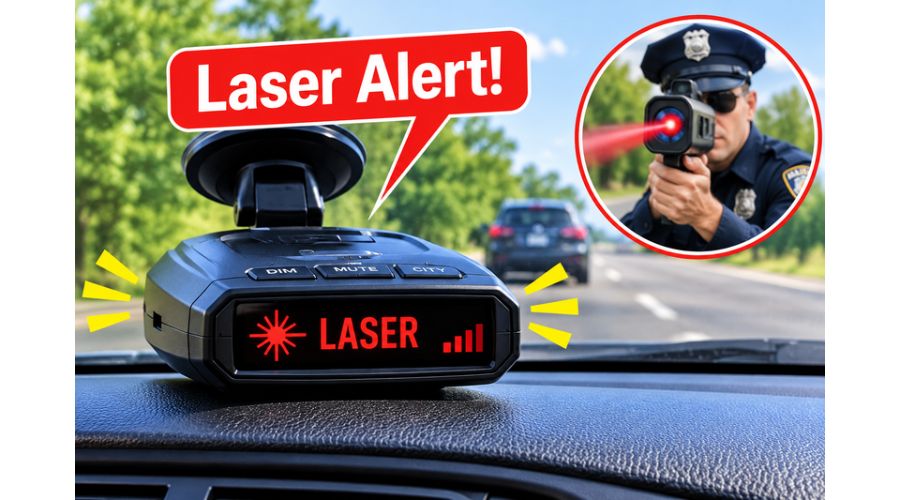
A radar detector is designed to alert you when it picks up signals associated with speed-monitoring equipment. However, repeatedly hearing a warning or seeing the word LASER flash across the display can be confusing, especially when you cannot see a police vehicle or speed-enforcement equipment nearby.
If you are wondering why my cordless radar detector keeps saying laser, the answer may involve an actual police lidar signal, interference from another electronic device, or a problem with the detector itself.
Unlike conventional radar alerts, laser warnings are triggered by infrared light rather than microwave radio signals. This means that some of the causes of repeated laser alerts are different from those behind common K-band and Ka-band false alarms.
Modern vehicles, electronic accessories, bright sunlight, and certain environmental conditions can sometimes contribute to unwanted warnings.
In this article, we explain why your cordless radar detector keeps saying laser, what a laser alert means, how to identify possible false alarms, and what you can do to troubleshoot the problem.
We also cover laser detection technology, detector sensitivity, mounting position, common sources of interference, and ways to maintain reliable performance. Read on.
Also Read:
Why Does My Cordless Radar Detector Keep Saying Laser?
When your cordless radar detector displays a laser warning, it means its laser sensor has detected light or an interference pattern that its electronics interpret as a possible lidar signal. It does not automatically mean that a police officer is targeting your vehicle. However, you should never assume that a laser alert is false simply because you cannot see an enforcement vehicle.
Police lidar equipment uses infrared light to measure vehicle speed. Since the beam is narrow and directed toward a particular vehicle, a detector may receive only a small amount of reflected light. This makes laser detection different from conventional radar detection, where radio waves can travel farther and spread over a wider area.
Reasons your radar detector may keep giving laser alerts.
1. Police Are Using a Laser Speed Gun Nearby
The first possibility is that a police officer is operating a lidar speed gun near the road. Unlike traditional radar equipment, which transmits radio waves over a broader area, a laser speed gun sends a narrow beam of infrared light toward a selected vehicle.
When the beam reaches your vehicle, some of the light may reflect toward your detector. The laser sensor recognizes the incoming light and triggers an alert. Depending on the detector model, the display may show LASER, LIDAR, or a similar warning accompanied by an audible tone.
One reason laser alerts can seem sudden is that police lidar equipment is generally aimed at individual vehicles. An officer can wait for a suitable target before activating the speed gun. Consequently, your detector may not provide the early warning you might expect from a conventional radar signal.
A laser alert should therefore be treated as a possible active enforcement signal. Avoid making assumptions based on the absence of a visible police vehicle. The officer could be positioned farther ahead, on an overpass, behind roadside objects, or at another location with a clear view of approaching traffic.
What you can do: Treat every laser warning as potentially genuine. Check your speed, remain attentive to the road, and avoid relying on your detector as a guarantee that you will receive warning of speed enforcement.
2. Your Vehicle’s Advanced Driver-Assistance Systems Are Causing Interference
Modern vehicles contain numerous electronic systems designed to make driving safer and more convenient. These include adaptive cruise control, lane-keeping assistance, automatic emergency braking, parking sensors, and collision-warning systems.
Some vehicles also use infrared or laser-based technology for functions such as driver assistance, object recognition, and distance measurement. Depending on the system and detector design, these technologies may contribute to unwanted laser warnings.
For example, a vehicle equipped with laser-based driver-assistance equipment may emit light that a nearby radar detector can interpret as a possible lidar signal. The warning may occur when the vehicle activates a particular feature or when you approach another vehicle using similar technology.
This can be especially confusing because the alert may appear even when there is no police vehicle nearby. You may also notice that the detector gives a warning more frequently when driving a newer vehicle than when using an older one.
Not every advanced driver-assistance system uses laser technology, and not every system will interfere with a radar detector. The exact behavior depends on the vehicle and detector models.
What you can do: Check your vehicle manual to identify the technologies installed in your car. If the laser alerts began after purchasing a new vehicle or activating a particular feature, consult the vehicle manufacturer and radar detector manufacturer about possible compatibility issues. Do not turn off safety equipment without understanding its purpose and the consequences.
3. Windshield Wipers Are Triggering False Laser Alerts
It may sound unusual, but windshield wipers can sometimes contribute to false laser warnings. Some radar detector manufacturers identify wiper operation as a possible source of interference in certain vehicles.
The problem is not necessarily that the wipers are producing a police-like laser beam. Instead, electrical noise or interference associated with the wiper motor and vehicle electronics may affect the detector’s sensors or internal circuitry.
You may notice the problem during rainy weather when the wipers are operating continuously. In some cases, the detector may alert when you activate the wipers manually, even when there is no apparent speed-enforcement equipment nearby.
This type of laser falsing can be difficult to diagnose because the warning may disappear as soon as you switch the wipers off. It can also occur intermittently, depending on the vehicle’s electrical system and the detector’s sensitivity.
What you can do: If it is safe to do so, observe whether the laser alert repeatedly coincides with wiper operation. Never switch off your windshield wipers in conditions where you need them for visibility. Instead, record the circumstances and discuss the issue with the detector manufacturer or a qualified technician.
4. Your Car’s Electrical System Is Producing Radio-Frequency Interference
A cordless radar detector may also give repeated laser alerts because of electrical interference from your vehicle. Although laser detection relies on optical sensors, manufacturers have reported that radio-frequency interference from vehicle electronics can sometimes contribute to false laser warnings.
Possible sources include electric motors, power windows, door mechanisms, ignition components, and other electrical equipment. The problem may become more noticeable when you accelerate hard, operate certain accessories, or use several electrical systems at once.
For instance, you may notice a laser warning whenever you press the accelerator aggressively. Another driver may experience the same problem when operating power windows or using a particular electronic accessory.
These patterns can help you narrow down the source of the interference. However, they do not prove that a specific component is defective. Electrical systems are interconnected, and the source may require professional diagnosis.
What you can do: Observe whether the alerts occur during acceleration, when operating power windows, or when using other electrical accessories. If the problem is consistent, have the vehicle’s electrical system inspected. You can also contact the radar detector manufacturer for model-specific troubleshooting advice.
5. Bright Sunlight Is Affecting the Laser Sensor
Strong sunlight can sometimes contribute to unwanted laser alerts, particularly when the sun is low on the horizon or shining directly through the windshield.
Radar detectors with laser sensors are designed to recognize particular wavelengths of infrared light. However, intense or changing light conditions can sometimes affect the sensor’s ability to distinguish a genuine lidar signal from other light sources.
This may explain why your cordless radar detector gives repeated laser warnings when driving toward the rising or setting sun. The problem may also become noticeable when sunlight reflects from bright surfaces, glass buildings, or other vehicles.
It is important to distinguish between a possible sunlight-related false alert and a genuine laser warning. A sudden alert while driving toward the sun does not prove that sunlight caused it. Police lidar may still be operating in the area.
What you can do: Note whether the alerts occur at particular times of day or when the sun is shining directly toward the detector. Make sure the sensor is clean and that the detector is mounted according to the manufacturer’s instructions. If the warnings continue under different lighting conditions, investigate other possible causes.
6. A Nearby Electronic Device Is Interfering With the Detector
Your vehicle may contain several electronic devices that the manufacturer did not originally install. These can include smartphones, dash cameras, GPS navigation units, wireless accessories, aftermarket alarms, and other portable electronics.
Some devices can generate electrical noise or use infrared technology. Depending on their design and location, they may contribute to false alerts on certain radar detector models.
For example, you may begin experiencing repeated laser warnings after installing a new dash camera or adding an electronic accessory near the detector. A smartphone or another device may also be involved, although this is not necessarily the case with every phone or detector combination.
The challenge is that interference can be intermittent. You may receive a warning only when a particular device is charging, transmitting data, or operating a specific feature.
What you can do: Think about any electronic accessories you recently installed. Temporarily switch off or move nonessential devices one at a time when it is safe to do so. If the alerts stop, repeat the test to see whether the behavior returns. Avoid disconnecting essential vehicle safety equipment.
7. Your Detector Is Mounted Too Close to an Interference Source
The position of your cordless radar detector can influence how it responds to signals and interference. If it is mounted close to an electronic device, vehicle component, or reflective surface that contributes to unwanted alerts, changing its position may help.
For example, mounting the detector immediately beside an aftermarket dash camera or another electronic accessory may make interference more noticeable. A detector positioned near certain vehicle electronics may also behave differently from one installed elsewhere on the windshield.
However, moving the detector does not automatically solve every laser alert. Laser detection depends heavily on the sensor’s ability to receive light from the direction of the signal. An unsuitable mounting position can also reduce the detector’s ability to receive genuine lidar signals.
What you can do: Follow the mounting instructions for your exact model. Keep the detector’s laser sensors unobstructed and avoid placing it behind areas of the windshield that the manufacturer identifies as unsuitable. If the manufacturer recommends a particular mounting height or position for laser detection, follow that guidance.
8. Your Windshield Has a Special Coating or Tint
Some vehicle windshields have metallic coatings, infrared-reflective layers, or other features designed to reduce heat and sunlight entering the cabin. Certain windshield treatments can affect the transmission of signals to electronic equipment mounted inside the vehicle.
This is particularly important when diagnosing a radar detector that provides inconsistent detection performance. Depending on the windshield construction and detector design, the coating may interfere with the reception of radar or laser signals.
A windshield can also have aftermarket tint, film, or a special reflective treatment that changes how light passes through it. If you recently replaced your windshield or installed a new film, the timing may be worth investigating.
A coated windshield does not necessarily cause repeated laser alerts. It may instead reduce the detector’s ability to receive a genuine signal. The effect depends on the material and where the detector is mounted.
What you can do: Check your vehicle documentation or ask the manufacturer whether your windshield has a special coating. Consult the radar detector manual for recommended mounting areas. Do not assume that every dark or tinted section of glass is suitable for mounting a laser detector.
9. The Laser Sensor Is Dirty, Scratched or Damaged
Your cordless radar detector may also keep saying LASER because its optical sensor is dirty or damaged. The laser sensor needs a clear optical path to receive incoming infrared light. Dust, fingerprints, scratches, and other physical damage may affect its performance.
If you regularly remove and reinstall your detector, the sensor area may collect dirt or become scratched. Exposure to heat, moisture, or accidental drops can also affect the device.
A damaged sensor may behave unpredictably. You might experience repeated warnings, inconsistent detection, or a detector that no longer responds as expected.
What you can do: Inspect the sensor area for visible dirt or damage. Clean the exterior gently using the method recommended in the manufacturer’s manual. Do not apply harsh chemicals, abrasive materials, or excessive pressure. If the sensor appears scratched or the alerts continue after cleaning, contact the manufacturer about inspection or repair.
10. Your Radar Detector Has a Hardware or Firmware Problem
If your cordless radar detector repeatedly displays laser warnings without an obvious external cause, the device itself may have a problem.
A hardware fault could involve the optical sensor, internal circuitry, electrical connections, or another component responsible for processing incoming signals. A firmware issue may also affect how the detector interprets and displays alerts, depending on the model.
This possibility becomes more likely when the problem occurs in different vehicles and locations, especially after you have ruled out common interference sources.
Some detectors provide diagnostic information or error messages when a component is not functioning properly. Others may produce unusual alerts. Check the manufacturer’s documentation to understand what your model’s warning indicators mean.
What you can do: Check whether a firmware update is available for your exact model and follow the manufacturer’s update instructions. If the detector continues giving unexplained laser alerts, contact customer support or arrange a professional inspection. Avoid opening the device yourself because doing so may damage sensitive components or affect your warranty.
How Does Laser Detection Work in a Cordless Radar Detector?
To understand why your cordless radar detector keeps saying laser, it helps to know how laser speed measurement works.
Police laser equipment is commonly known as LIDAR, which stands for Light Detection and Ranging. It uses short pulses of infrared light to measure the distance to a vehicle. By measuring how the distance changes over a very short period, the equipment calculates the vehicle’s speed.
A radar detector with laser detection capability contains optical sensors designed to recognize light within a particular infrared range. When the sensor detects a signal it recognizes as possible lidar, the detector processes it and activates an audible or visual warning.
The process generally involves the following stages:
- Infrared light is emitted: A lidar speed gun sends short pulses of infrared light toward a selected vehicle.
- The light reaches the vehicle: Some of the infrared energy reflects from the vehicle’s surface.
- The detector receives the light: If the detector’s optical sensor is within the path of the signal or receives enough scattered light, it may register the signal.
- The processor analyzes the signal: The detector evaluates the incoming information according to its design.
- The warning is activated: The display shows a laser or lidar alert, often accompanied by a sound.
Unlike radar waves, which can spread over a much wider area, lidar uses a narrow beam. This is why a radar detector may receive a laser warning only when the vehicle is already close to the enforcement equipment.
A cordless detector’s battery-powered design does not change the basic principles of laser detection. Its performance depends on the quality of its optical sensors, signal-processing system, mounting position, and other design features.
How to Stop Your Cordless Radar Detector From Saying Laser Constantly
If your detector keeps giving laser warnings, do not immediately assume that it is defective. Work through the following troubleshooting steps to identify whether the problem comes from the vehicle, the surrounding environment, or the detector itself.
1. Check Whether the Alert Happens in the Same Location
Start by identifying where the laser warnings occur. Do they happen every time you pass a particular road, shopping center, toll area, or parking facility? Or do they occur randomly in different places?
If the warning repeatedly appears in the same location, there may be a nearby source of infrared light or electronic interference. However, a police lidar unit could also be operating in that area.
Record the location, time, and circumstances of each alert. This information can help you identify patterns and provide useful details if you contact the manufacturer.
2. Check Whether the Alert Happens in Another Vehicle
One of the most useful troubleshooting methods is to test the detector in another vehicle, provided the manufacturer permits this and you can install it correctly.
If the detector gives repeated laser warnings in your car but operates normally in another vehicle, the original vehicle may be contributing to the problem.
Possible causes include electrical interference, advanced driver-assistance technology, windshield characteristics, or an electronic accessory.
If the same problem occurs in multiple vehicles, the detector itself or an external source common to those locations may be responsible.
3. Switch Off Nonessential Electronic Accessories One at a Time
Aftermarket electronics can sometimes contribute to radar detector interference. If you recently installed a dash camera, GPS unit, charger, or another accessory, investigate whether the problem started around the same time.
Temporarily switch off nonessential accessories one at a time when it is safe to do so. Observe whether the laser warning disappears, then repeat the test to confirm the result.
Do not disconnect vehicle safety systems or equipment required for safe operation. If you suspect a factory-installed system, consult the vehicle manufacturer rather than attempting to turn it off.
4. Inspect and Clean the Laser Sensor
Check the detector’s laser sensor for dust, fingerprints, scratches, or other visible damage. A clean sensor is important for reliable optical detection.
Use only the cleaning method recommended by the manufacturer. A soft, clean cloth may be suitable for some exterior surfaces, but avoid applying cleaning liquids directly to the sensor unless the manual specifically permits it.
If the sensor is scratched or cracked, professional inspection may be necessary.
5. Adjust the Detector’s Mounting Position
Check that the detector is installed correctly and that its laser sensors have a clear view through the windshield.
Avoid placing the device behind unsuitable tint, reflective film, or areas that may obstruct its sensors. Keep it away from accessories that could contribute to interference.
Follow the mounting guidance for your specific detector. Some manufacturers recommend a lower windshield position for improved lidar reception, while other installation requirements may differ.
Remember that changing the mounting position can affect radar and laser performance differently. Do not assume that one position is ideal for every detector.
6. Check Your Vehicle’s Electrical Systems
If the alerts appear when you accelerate, use the windshield wipers, or operate power windows, the vehicle’s electrical system may be involved.
Observe whether the warnings occur consistently with a particular action. If they do, have the vehicle inspected by a qualified technician.
Do not attempt to repair wiring or electrical components without the necessary knowledge. A professional can investigate grounding, electrical noise, and accessory-related problems.
7. Update the Detector’s Firmware
Some modern radar detectors support firmware updates that improve performance, correct software problems, or refine signal processing.
Visit the manufacturer’s official website and check whether an update is available for your exact model. Follow the instructions carefully, using the correct software and update procedure.
Do not install firmware intended for a different model. An incorrect update may cause the device to malfunction.
Also remember that a firmware update cannot eliminate every source of physical or electrical interference.
8. Contact the Manufacturer or Arrange a Repair
If the laser warnings continue after you have checked the vehicle, accessories, mounting position, and sensor condition, contact the manufacturer.
Explain how frequently the alerts occur, whether they happen in multiple vehicles, and whether they are associated with particular accessories or driving conditions. Provide the model number and any diagnostic information requested by customer support.
The manufacturer may recommend additional testing, a repair, a replacement sensor, or warranty service. If the detector is defective, professional service is safer than attempting to open or modify it yourself.
Can You Turn Off Laser Alerts on a Cordless Radar Detector?
Some cordless radar detectors allow you to turn off laser detection through their settings. However, the availability of this feature depends on the manufacturer and model.
Turning off laser detection may reduce unwanted warnings if your detector is experiencing persistent false alerts. Nevertheless, it also means the device will no longer warn you when it detects compatible police lidar signals.
This is an important trade-off. Laser speed enforcement uses a narrow beam, and radar detectors may provide little or no warning. Disabling laser detection removes even that limited warning capability.
Before changing the setting, investigate the source of the repeated alerts. Check for electronic interference, mounting problems, sensor damage, and other possible causes.
If the detector remains unusable, consult the manufacturer about repair options or model-specific sensitivity adjustments. Do not assume that a laser sensitivity setting is available on every device, and do not make changes that compromise vehicle safety.
Radar Alert vs. Laser Alert: What Is the Difference?
Radar and laser alerts are not interchangeable. Although both can be used in speed enforcement, they rely on different technologies.
| Feature | Radar alert | Laser alert |
|---|---|---|
| Technology | Microwave radio waves | Infrared light |
| Common signal types | X, K and Ka bands | Lidar |
| Signal coverage | Generally wider | Narrow, focused beam |
| Detection behavior | May provide advance warning | Often provides little warning |
| Main sensor | Radio-frequency antenna | Optical sensor |
| Common false-alert sources | Automatic doors, vehicle radar systems and other RF sources | Certain electronic devices, vehicle interference and bright sunlight |
| Typical display | X, K or Ka | LASER or LIDAR |
A K-band or Ka-band alert does not mean the detector has detected a laser. Likewise, a laser warning is not simply another name for a radar signal.
Understanding this distinction can help you troubleshoot your device more effectively. If your detector repeatedly shows LASER, concentrate on the optical sensor, possible infrared sources, and interference patterns rather than changing radar-band settings without a clear reason.
Why Does My Radar Detector Say Laser When There Is No Police Officer?
A laser warning can occur even when you cannot see a police officer. This does not necessarily mean the detector is malfunctioning.
The officer may be positioned farther ahead, behind a roadside structure, or on an overpass. Lidar equipment can also be used from a location that is difficult to see while driving.
Alternatively, the alert may be caused by an external source or interference from your vehicle. Certain advanced driver-assistance technologies, electrical accessories, windshield wipers, and bright sunlight have been identified by manufacturers as possible contributors to laser falsing.
You should not rely on visual confirmation alone to decide whether an alert is genuine. Treat the warning as potentially real, remain attentive, and investigate repeated alerts only after reaching a safe place.
How to Reduce False Laser Alerts on Popular Radar Detector Brands
Different radar detector manufacturers use different optical sensors, processors, and filtering technologies. Therefore, troubleshooting steps may vary by brand.
Escort Radar Detectors
Escort identifies several possible sources of laser falsing, including vehicle electronics, windshield wipers, horns, acceleration-related interference, certain mobile devices, and laser-based driver-assistance systems.
If your Escort detector keeps saying laser, begin by observing whether the alerts occur when you operate a particular vehicle accessory. You can also test the detector in another vehicle to determine whether the problem is associated with your car.
If the warnings continue, Escort recommends contacting customer support for further assistance. Some problems may require service or a manufacturer-approved modification.
Cobra Radar Detectors
Cobra also identifies several possible causes of laser falsing. These include interference from vehicle electronics, infrared sources, bright sunlight, and certain automotive technologies.
If your Cobra radar detector repeatedly displays LASER, check whether the warnings occur in the same locations or when using particular vehicle features.
Cobra advises that changing the detector’s mounting position or investigating nearby electronic devices may help in some cases. If the problem persists, consult the manufacturer’s support resources before attempting a modification.
Uniden Radar Detectors
Uniden models differ in their detection features, mounting requirements, and software options. If your Uniden detector keeps displaying a laser warning, start by checking the owner’s manual for the meaning of the alert and any model-specific troubleshooting instructions.
Inspect the laser sensor, verify that the device is mounted correctly, and investigate whether the alerts occur in particular locations or vehicles.
If you suspect a hardware problem, contact Uniden support or an authorized service provider. Avoid assuming that settings available on one Uniden model are also available on another.
When Should You Replace Your Cordless Radar Detector?
Repeated laser alerts do not automatically mean you need a new radar detector. In many cases, the problem can be traced to an external interference source, unsuitable mounting position, or a correctable device issue.
However, replacement may be worth considering when the detector has sustained physical damage, its sensors no longer work reliably, or the manufacturer confirms that the unit cannot be repaired economically.
Consider replacing the detector if:
- The laser sensor is physically damaged: A cracked or severely scratched sensor may affect detection performance.
- The detector repeatedly malfunctions: Persistent unexplained warnings across different vehicles and locations may indicate an internal fault.
- The device is no longer supported: Older models may not receive firmware updates or manufacturer service.
- The battery no longer holds a useful charge: If your cordless model has a rechargeable battery that cannot maintain adequate operating time, replacement may be more practical.
- Repair costs are too high: If the cost of repairing the unit approaches the price of a suitable replacement, compare your options.
Before buying another detector, check its laser detection capability, battery life, mounting requirements, warranty, firmware support, and false-alert filtering features. Also verify that the product is genuinely battery-powered if you specifically want a cordless radar detector.
Wireless smartphone connectivity does not necessarily mean a detector operates without a power cable.
The video below illustrates what causes False Laser Alerts
Frequently Asked Questions-FAQs
1. Why does my radar detector keep beeping and saying laser?
Your detector may be receiving a possible lidar signal or responding to interference from another source. Police laser equipment, vehicle electronics, windshield wipers, certain accessories, and bright sunlight can contribute to laser alerts.
Since the cause is not always obvious, treat each warning as potentially genuine and investigate repeated patterns.
2. Does a laser alert mean police are targeting my car?
Not necessarily. A laser alert means the detector has registered a signal or interference that it interprets as possible lidar. A police officer may be operating a laser speed gun nearby, but other light sources or vehicle-related interference can also trigger warnings.
You cannot determine the source with certainty from the alert alone.
3. Can a cordless radar detector detect laser speed guns?
Yes, provided the detector includes laser or lidar detection capability. A cordless design describes how the device receives power, not the type of signals it can detect.
Check the manufacturer’s specifications to confirm that your model supports laser detection. Some basic radar detectors may only detect radio-frequency bands such as X, K, and Ka.
4. Why does my radar detector say laser when I use the windshield wipers?
In some vehicles, electrical noise associated with the windshield wiper motor may contribute to false laser alerts. This behavior is not universal, but manufacturers have identified wiper operation as a possible source of interference.
Observe whether the warnings consistently coincide with wiper use and consult the detector manufacturer if the problem continues.
5. Can sunlight trigger a false laser alert?
Strong or changing sunlight may contribute to unwanted laser warnings in certain conditions. This is more likely to be noticeable when the sun is low or shining directly through the windshield. However, a warning during bright sunlight does not prove that the sun caused it.
Treat the alert seriously and look for a consistent pattern.
6. Why does my radar detector only say laser in one vehicle?
The vehicle may contain electronic systems or accessories that contribute to interference. Advanced driver-assistance features, electrical components, windshield characteristics, and aftermarket electronics can all be relevant.
Testing the detector in another compatible vehicle may help identify whether the problem is associated with your car.
7. Can I turn off laser detection to stop false alerts?
Some models allow you to switch off laser detection, but this also removes the device’s ability to warn you about compatible lidar signals.
Before turning off the feature, investigate the source of the false alerts and check whether the manufacturer offers a repair or adjustment. The setting may not be available on every model.
8. Does mounting position affect laser detection?
Yes. Laser detection depends on the optical sensor receiving infrared light. If the sensor is obstructed by unsuitable tint, reflective film, or another object, its ability to detect lidar may be reduced.
Follow your detector’s mounting instructions and keep the sensor unobstructed.
9. Why does my radar detector say laser even when I am parked?
A parked vehicle can still be exposed to infrared sources and electrical interference. Nearby vehicles, electronic equipment, sunlight, and certain vehicle systems may contribute to unwanted warnings.
If the alert occurs repeatedly while parked, record the conditions and test the detector in another location when safe.
10. Should I replace my radar detector if it keeps giving false laser alerts?
Not immediately. First, check the mounting position, sensor condition, vehicle electronics, and possible interference sources. If the problem continues in different vehicles and locations, contact the manufacturer for diagnosis.
Replace the detector only if it is confirmed to be defective, unsupported, or uneconomical to repair.
Conclusion
If your cordless radar detector keeps saying laser, the warning may be caused by an actual police lidar signal, interference from your vehicle’s electronics, an external infrared source, or a problem with the detector’s sensor. The most important thing is not to assume that every alert is false.
Laser speed enforcement uses a narrow infrared beam, and a detector may provide very little warning.
Start by identifying when and where the warnings occur. Check whether they coincide with windshield wiper use, acceleration, electronic accessories, or particular locations.
Inspect the sensor, verify the mounting position, and consult the manufacturer’s troubleshooting guidance. If the problem continues across different vehicles, arrange a professional inspection.
A properly functioning radar detector should provide useful alerts without creating unnecessary distractions. Understanding the difference between radar and laser detection will help you troubleshoot repeated warnings while making safer, more informed decisions on the road.