
Cordless phones make communication convenient because you can move around your home or office without remaining next to a telephone socket. However, their convenience depends heavily on rechargeable batteries.
Whether you use a Panasonic, AT&T, VTech or another cordless phone, you have probably wondered how long the batteries should last before needing replacement. You may also have noticed that a handset that once held its charge for several days now displays a low-battery warning after only a few hours.
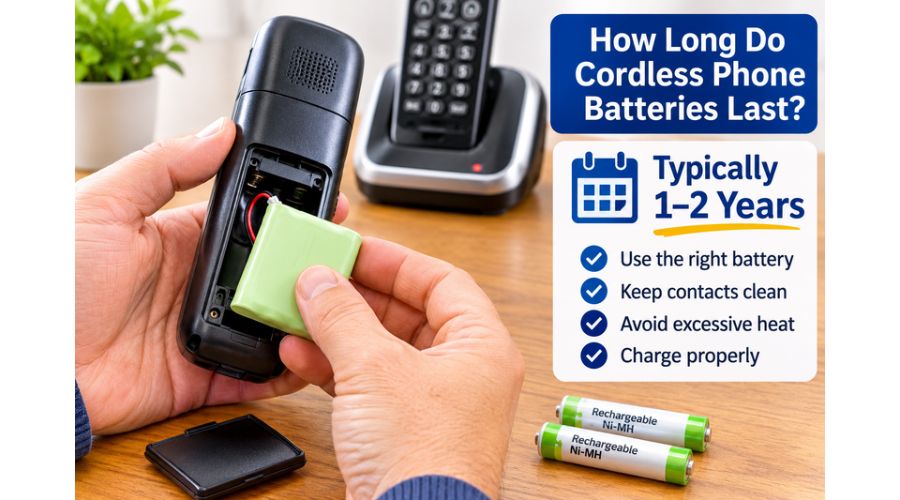
Generally, cordless phone batteries can provide reliable service for about one to two years, although actual lifespan depends on battery chemistry, usage, charging habits, and operating conditions. Some batteries may need replacing sooner, while others can continue working beyond two years. Battery lifespan also differs from talk time and standby time. A battery may last for years before wearing out, but the handset still needs regular charging.
In this guide, you will learn how long cordless phone batteries last, what affects their performance, how to recognize a failing battery, when to replace it and how to extend its useful life. We will also cover common Panasonic, AT&T, and VTech battery problems and explain how to choose the right replacement.
How Long Do Cordless Phone Batteries Last?
Most rechargeable cordless phone batteries last approximately one to two years under typical household use. This is a general expectation, not a fixed replacement schedule. Actual service life depends on the battery type, its quality, how often you use the handset, and whether you charge and maintain it properly.
For example, VTech advises customers to consider replacing rechargeable batteries that have been in service for more than a year, especially if they no longer hold a charge properly. Its support guidance also explains that battery performance depends on the model and usage.
The battery’s condition gradually changes as it goes through repeated charging and discharging cycles. When new, it can store enough energy to support the handset for a relatively long period. Over time, its ability to hold that energy decreases. Eventually, you may find that the phone needs charging more frequently or switches off during conversations even when the battery indicator shows some charge remaining.
However, a cordless phone battery that appears to be failing is not always defective. Dirty charging contacts, an incorrectly installed battery, a faulty charger or a damaged power adapter can produce similar symptoms. So, check the charging system before buying a replacement.
Battery lifespan versus talk time and standby time
When researching cordless phone battery life, you will encounter three measurements: battery lifespan, talk time and standby time. They describe different aspects of performance.
Battery lifespan refers to how long the rechargeable battery remains useful before its capacity deteriorates enough to justify replacement. For many cordless phone users, this may be around one to two years, but there is no universal figure for every model.
Talk time describes how long a fully charged handset can remain in an active telephone conversation before its battery needs recharging. Continuous calls consume more energy than leaving the phone idle.
Standby time refers to how long the handset can remain switched on, connected to its base and ready to receive calls without being actively used. Standby time is usually much longer than talk time.
These measurements are not interchangeable. A phone advertised with 10 hours of talk time does not mean its battery will last 10 hours over its entire service life. It means that a new, fully charged battery may support up to that amount of continuous conversation under the manufacturer’s test conditions.
Typical cordless phone battery performance
The following examples illustrate why you should check your specific handset’s manual rather than assume all cordless phones have the same runtime.
Cordless phone example Maximum talk time Maximum standby time
Panasonic KX-TGU430 series Up to 10 hours Up to 5 days
Panasonic KX-TGF382 series Up to 13 hours Up to 12 days
VTech MI6821 About 7.5 hours About 3.5 days
AT&T TL86003 Up to 7 hours Up to 7 days
These figures come from manufacturer documentation and product support information. Actual results vary with usage, battery age, signal conditions and operating environment.
What Type of Batteries Do Cordless Phones Use?
The type of rechargeable battery in your handset affects its charging behavior, performance and replacement requirements. Most modern cordless phones use nickel-metal hydride batteries, commonly identified as Ni-MH. Older models may use nickel-cadmium batteries, known as Ni-Cd.
Although these battery types may look similar, they have different characteristics. Don’t assume a battery will work just because it fits in the handset.
1. Nickel-Metal Hydride (Ni-MH) Batteries
Ni-MH batteries are common in modern cordless telephones. They offer a practical balance of capacity, cost and rechargeable performance. Many Panasonic and VTech handsets use rechargeable Ni-MH cells or battery packs.
One advantage of Ni-MH technology is that it generally provides greater capacity than older Ni-Cd batteries of comparable size. This can help a handset deliver longer talk time and standby time, although actual performance still depends on the phone’s design.
Ni-MH batteries are available in different sizes and configurations. Some cordless phones use two individual AAA rechargeable cells, while others require a connected battery pack with a particular voltage, capacity and plug.
When replacing a Ni-MH battery, check the following:
- The battery chemistry must match the manufacturer’s recommendation.
- The voltage must match the handset.
- The physical dimensions must fit the battery compartment.
- The capacity should meet the model’s requirements.
- The connector and polarity must match when the handset uses a battery pack.
Don’t choose a replacement based only on its advertised capacity. A battery with a higher mAh rating is not automatically compatible with your phone.
2. Nickel-Cadmium (Ni-Cd) Batteries
Older cordless phones may use nickel-cadmium batteries. These rechargeable batteries were common in earlier generations of cordless telephone systems.
Ni-Cd batteries can tolerate many charging cycles, but they generally have lower energy capacity than comparable Ni-MH batteries. They are also associated with a memory-effect concern, although this is often misunderstood.
The memory effect is a reduction in usable capacity that can occur under particular repeated partial-discharge conditions. It does not mean every Ni-Cd battery must be completely discharged before charging. Unnecessarily deep discharging rechargeable batteries can also create problems.
Ni-Cd batteries contain cadmium, a toxic heavy metal. Take them to an appropriate battery recycling facility rather than throwing them into ordinary household waste.
If your older handset uses Ni-Cd batteries, check the manufacturer’s instructions before changing to Ni-MH. Some models may support a compatible alternative, but others require the original chemistry and specified battery characteristics.
3. Rechargeable AAA Batteries
Some cordless handsets use two standard-size AAA rechargeable batteries rather than a proprietary battery pack. These are convenient because compatible replacement cells may be easier to find.
However, not every AAA rechargeable battery suits every cordless phone. The manufacturer may specify a particular chemistry, voltage and capacity.
For example, a handset designed for 1.2-volt Ni-MH AAA cells should not automatically be fitted with ordinary 1.5-volt alkaline batteries. Never place non-rechargeable batteries in a handset designed to recharge its batteries.
Also, avoid mixing old and new rechargeable cells or using batteries with different capacities. Unequal cells can affect performance and may create charging problems.
4. Proprietary Cordless Phone Battery Packs
Some phones use a specially assembled battery pack with a connector that plugs into the handset. The pack may contain two or more cells connected and enclosed in a protective covering.
These packs are not necessarily interchangeable, even when they have similar shapes. Their connectors, wiring arrangements, voltage and dimensions may differ.
When replacing a proprietary pack, use the handset model number to find a compatible battery. If possible, compare the replacement with the original pack before installation.
7 Factors That Affect Cordless Phone Battery Life
Why do some cordless phone batteries last longer than others? Even two handsets from the same manufacturer may have different battery performance because their usage patterns and operating conditions are not identical.
Understanding the following factors can help you get more from your rechargeable batteries.
1. Frequency and Duration of Phone Calls
How frequently you use your cordless phone is one of the most important factors affecting its runtime.
A handset used for occasional short conversations will generally consume less energy than one used for several hours of calls every day. During a call, the handset maintains an active wireless connection with the base station. Its display, microphone, speaker and transmission circuitry also use power.
If you regularly make long calls, the battery will reach its low-charge level sooner than it would during light use.
For example, a household that makes several long calls each day may need to return the handset to its charging base more frequently than a household that uses it mainly for occasional incoming calls.
Speakerphone use can also reduce the available talk time on some models. VTech specifically warns that frequent speakerphone use can decrease total talk time between charges.
2. Battery Chemistry and Quality
Battery chemistry and manufacturing quality affect how much energy the cells can store and how well they retain that capacity over time.
A good-quality rechargeable battery that meets the phone manufacturer’s specifications is more likely to provide consistent performance than a poorly made or incompatible replacement.
Ni-MH batteries are widely used in current cordless phones, while older Ni-Cd batteries may have different capacity and charging characteristics. Even within the same chemistry, batteries vary in capacity, construction and quality.
Cheap replacement batteries can be tempting, especially when the original pack is expensive or difficult to find. However, a low-cost battery with inaccurate specifications may not charge correctly or provide reliable talk time.
Choose a compatible battery from the phone manufacturer or a reputable battery supplier. Check its voltage, chemistry, size, connector and recommended charging requirements.
3. Charging Habits
Charging habits can affect battery performance, especially if you use the handset heavily or the charging system isn’t working properly.
Most cordless phone manufacturers design their charging bases to manage normal charging automatically. Some explicitly recommend returning the handset to its base or Charger when it is not in use.
For example, VTech says compatible cordless handsets can remain in their chargers without being overcharged. Its support guidance also recommends fully charging a new battery as specified in the manual.
Don’t assume every charging instruction applies to every handset. Some models require an initial charge of several hours, while others specify a longer period.
Follow the charging time and procedure in your phone’s manual. If the charging indicator does not appear, check the contacts and power adapter instead of leaving the handset on the base indefinitely.
4. Temperature and Storage Conditions
Temperature can affect rechargeable battery performance and long-term condition.
Very hot environments can accelerate battery deterioration. Leaving a cordless handset in direct sunlight, beside a heater or inside a hot vehicle is therefore not a good idea.
Extremely cold conditions can temporarily reduce the amount of energy a battery can deliver. A handset may appear to lose charge more quickly when used in a cold environment, even if the battery has not permanently failed.
Keep your cordless phone in a dry location at a moderate indoor temperature. Avoid placing the charging base near cooking appliances, heaters or windows that receive intense direct sunlight.
If the handset becomes unusually hot during charging, disconnect it and inspect the battery and Charger. Some models may feel slightly warm during normal charging, but excessive heat, swelling, or leakage requires immediate attention.
5. Age of the Rechargeable Battery
All rechargeable batteries gradually lose capacity as they age. This is normal and cannot be prevented entirely.
As the battery goes through repeated charging and discharging, its ability to store energy declines. The change may be gradual, so you might not notice it immediately.
A cordless phone that once lasted several days on standby may eventually require daily charging. During conversations, the handset may also show a low-battery warning much sooner than when it was new.
If the original battery has been in service for more than a year and no longer holds its charge, replacement may be worth considering. VTech specifically recommends replacing the battery when a rechargeable battery has been used for more than 12 months and performance has deteriorated.
6. Weak Wireless Signal and Distance From the Base
Cordless phones communicate wirelessly with their base stations. The distance between the handset and base, along with walls and other obstacles, can affect connection quality.
When a handset is far from its base or operates in an area with poor signal conditions, it may use more power maintaining communication. This can reduce battery runtime.
Try using the phone closer to its base and observe whether the battery lasts longer. If the handset frequently displays a weak-signal warning, consider relocating the base to a more central position.
Avoid placing the base behind large metal objects, inside enclosed cabinets or close to devices that may interfere with wireless communication.
7. Dirty Charging Contacts
Dirty charging contacts are a common reason a cordless phone may appear to have a battery problem.
The handset and charging base use metal contacts to transfer power. Over time, dust, grease and residue can accumulate on these surfaces. If the contacts become dirty, the handset may not charge consistently.
You might notice the charging light doesn’t come on, the battery indicator changes unexpectedly, or the handset works only a short time after charging.
To clean the contacts:
- Disconnect the Charger and base from their power source.
- Remove the handset battery if the manual permits, and it is safe to do so.
- Wipe the metal charging contacts with a clean, dry, soft cloth.
- Check for visible dirt or corrosion.
- Reconnect the Charger and place the handset correctly on the base.
- Confirm that the charging indicator appears.
Panasonic recommends cleaning the charging contacts on the handset, base unit and Charger with a soft, dry cloth approximately once a month. It advises cleaning more frequently when the phone is exposed to grease, dust or high humidity.
Do not scrape the contacts with sharp metal objects or pour cleaning liquid into the handset.
How Long Do Cordless Phone Batteries Last on a Full Charge?
How long a cordless phone battery lasts on a full charge depends on whether you use the handset for calls or leave it in standby mode.
Most manufacturers provide separate talk-time and standby-time figures because these activities consume different amounts of power.
Talk Time
Talk time is the number of hours you can use a fully charged handset for continuous conversations before the battery needs recharging.
Depending on the model, a cordless phone may provide approximately seven to 16 hours of talk time under manufacturer test conditions. Some models provide less, while others may provide more.
For example, the VTech MI6821 support information lists an average of 7.5 hours of talk time. A Panasonic KX-TGF382 manual lists up to 13 hours of continuous use. These figures demonstrate why you should check the specifications for your particular handset rather than rely on a single estimate.
Your actual talk time may be shorter because of speakerphone use, signal conditions, battery age and other operating factors.
Standby Time
Standby time is the period a fully charged handset can remain switched on and ready to receive calls without active use.
Depending on the model, standby time may range from several days to considerably longer. Some Panasonic manuals list standby performance of up to 12 days or more under specified conditions.
However, standby figures usually come from controlled testing. Your phone may not reach the advertised maximum if you use it often, move it far from the base, or activate power-consuming features.
Why Talk Time Is Shorter Than Standby Time
During a conversation, the handset continuously uses its wireless communication system, microphone, receiver or speaker. In standby mode, it generally consumes much less energy.
This explains why a phone may remain on its base or ready to receive calls for several days but provide only several hours of continuous conversation.
If you need a handset for frequent or lengthy calls, pay close attention to the manufacturer’s talk-time specification rather than standby time alone.
How Long Do Cordless Phone Batteries Take to Charge?
Cordless phone battery charging times vary by model, battery capacity, charging system, and cell condition.
Some handsets require approximately seven hours for a full charge, while others may require 12 or 16 hours. Older models may specify even longer charging periods.
For example, Panasonic documentation for certain models recommends charging for approximately seven hours. VTech instructions for some handsets specify a full charging period of 16 hours.
How to Charge a Cordless Phone Correctly
- Install the rechargeable batteries according to the manufacturer’s instructions.
- If your handset uses a plug-in pack, confirm the battery connector is properly seated.
- Connect the supplied Charger or base power adapter to a working outlet.
- Place the handset correctly on the charging cradle.
- Check that the charging symbol or indicator appears.
- Leave the handset charging for the full period specified in the manual.
- Confirm that the battery indicator shows a full charge before using the handset extensively.
If the charging light does not appear, check the power connection, battery installation and charging contacts.
Do not use a random power adapter simply because its plug fits the base. The voltage, polarity and electrical specifications must match the manufacturer’s requirements.
8 Signs Your Cordless Phone Battery Needs Replacing
A cordless phone battery rarely stops working without warning. In many cases, its performance gradually deteriorates, giving you several signs that you may need to replace it.
Recognizing these symptoms early can prevent unexpected interruptions during important conversations.
1. The Battery Runs Out Quickly
One of the clearest signs of a failing battery is a noticeable reduction in runtime.
If your cordless phone once lasted several days in standby but now needs charging after a few hours, the battery may have lost much of its original capacity.
Before replacing it, confirm that the handset is charging correctly. Dirty contacts or a faulty charger can produce similar symptoms.
2. The Phone Switches Off During Calls
A handset that suddenly switches off during a conversation may have a battery that can no longer deliver enough power.
This can happen when an aging battery’s voltage drops under load. The battery indicator may still show some charge, but the handset cannot maintain normal operation.
If the problem occurs repeatedly after a full charge, consider testing with a compatible replacement battery.
3. The Low-Battery Warning Appears Frequently
Most cordless phones have a battery indicator that shows the remaining charge. Some also display a low-battery message or produce an audible warning.
If the warning appears much sooner than usual, the battery may be deteriorating.
However, an inaccurate battery reading can sometimes occur after a battery replacement or when the handset has not completed its recommended charging procedure. Follow the manufacturer’s instructions before assuming the battery is defective.
4. The Battery Does Not Reach a Full Charge
If the battery indicator remains low after the recommended charging period, the battery, charging contacts, or power supply may be faulty.
Check whether the handset is seated properly on the cradle. Clean the contacts and confirm that the charging light comes on.
If the handset still fails to charge, test the Charger or base using the manufacturer’s recommended troubleshooting procedure.
5. The Handset Becomes Unusually Warm
A handset may become slightly warm during charging, and some manufacturers describe this as normal.
However, excessive heat is different. A battery that becomes unusually hot, swells, leaks or develops a strange smell should be treated as unsafe.
Stop using and charging the handset. Do not puncture, open or attempt to repair the battery. Arrange safe replacement and recycling.
6. The Phone Beeps or Displays Battery Errors
Repeated low-battery beeps, battery warnings or messages such as “Check Battery” may indicate a problem.
The cause is not always an old battery. Incorrect installation, a loose connector or incompatible replacement cells can also trigger these messages.
Check the battery’s orientation and connector before buying another.
7. The Phone Works Only When It Is on the Charger
If the handset switches off as soon as you remove it from the charging cradle, the battery may no longer hold usable energy.
This strongly indicates the battery needs testing or replacement. Also inspect the battery connector and charging system, because a connection problem can prevent the battery from charging in the first place.
8. The Battery Is Swollen or Leaking
Replace a swollen, leaking, or physically damaged battery immediately.
Do not continue charging it or attempt to squeeze it back into shape. Avoid touching leaking battery material directly.
Follow local battery disposal and recycling guidance. Never put a damaged rechargeable battery into ordinary household rubbish.
How to Replace Cordless Phone Batteries
Replacing a cordless phone battery is usually straightforward, but the procedure varies by handset. Some models use two individual rechargeable AAA cells, while others use a battery pack with a plug.
Before purchasing anything, identify your phone’s exact model number. It is usually printed on the handset, battery compartment, base or product label.
Step 1: Identify the Correct Battery
Check the original battery for its voltage, chemistry, capacity, size and connector type.
If your handset uses a battery pack, note its part number. If it uses individual cells, check the manufacturer’s recommended battery size and chemistry.
Don’t assume every AAA rechargeable battery is compatible.
Step 2: Disconnect the Handset if Necessary
Follow the manufacturer’s instructions for opening the battery compartment.
Some handsets have a sliding cover, while others require you to release a small clip. Avoid forcing the cover because the plastic tabs can break.
Step 3: Remove the Old Battery
If your phone uses individual cells, remove them while noting their orientation.
If it uses a battery pack, carefully disconnect the plug using the method described in the manual. Do not pull the wires themselves.
Step 4: Install the Replacement
Insert the new batteries with the correct polarity. If the phone uses a battery pack, connect the replacement using the correct connector and orientation.
Make sure the battery fits without being forced. Close the battery compartment securely.
Step 5: Charge the New Battery
Place the handset on its Charger and charge it for the full period the manufacturer recommends.
Don’t assume every replacement battery requires the same initial charging time. Some models specify several hours, while others require a longer first charge.
Step 6: Test the Handset
After charging, check the battery indicator and make a short test call.
Confirm that the phone remains powered on when removed from the Charger and that the battery level behaves normally.
If the handset still switches off or shows a battery warning, check compatibility, installation, and charging contacts before concluding the replacement is faulty.
Panasonic, VTech and AT&T Cordless Phone Battery Life
Although the basic principles of rechargeable battery maintenance apply to most cordless phones, individual brands and models have different battery requirements.
Panasonic Cordless Phone Battery Life
Panasonic cordless phones commonly use rechargeable Ni-MH batteries. However, talk time, standby time and charging requirements vary across product generations.
For example, Panasonic manuals list different maximum operating times for different handsets. One model may provide up to 10 hours of continuous use, while another may provide up to 13 or 16 hours.
If your Panasonic cordless phone battery does not hold a charge, start by checking the battery’s age and compatibility. Panasonic recommends using the specified rechargeable batteries and regularly cleaning the handset and charging-base contacts.
When replacing the battery:
- Check the exact Panasonic handset model.
- Confirm the recommended battery chemistry.
- Match the voltage and physical size.
- Check the connector if the phone uses a battery pack.
- Follow the manual’s charging instructions.
VTech Cordless Phone Battery Life
VTech cordless phones use different battery configurations by model. Some use individual rechargeable AAA batteries, while others require a connected battery pack.
VTech’s support guidance advises users to check the original battery specifications before buying a replacement. It also recommends replacing the battery if it has been in service for more than a year and no longer holds a charge properly.
If your VTech cordless phone battery dies quickly, check whether the handset is making good contact with the charging base. Confirm that the charging indicator appears and that the battery has received the full recommended charging period.
VTech also provides a battery-finding resource to help customers identify compatible replacement batteries.
AT&T Cordless Phone Battery Life
AT&T cordless phones also use different battery types and configurations across their product ranges.
Some models use rechargeable Ni-MH battery packs, while others use individual rechargeable cells. Their talk-time and standby specifications vary accordingly.
If your AT&T handset doesn’t hold a charge, check the battery pack’s model number and specifications. Make sure the battery connector is secure and the handset is correctly positioned on the charging cradle.
Don’t replace an AT&T battery with a pack that only looks similar. Differences in voltage, connector arrangement and physical dimensions can prevent the handset from working correctly.
How to Extend Cordless Phone Battery Life
Replacing a cordless phone battery every year or two may be normal, but you can take steps to maintain its performance and reduce avoidable wear.
1. Use the Recommended Rechargeable Batteries
Always use the battery chemistry and specifications recommended for your handset.
An incompatible battery may not charge properly, even if it fits inside the compartment. Check the manufacturer’s instructions before purchasing replacement cells.
2. Keep the Charging Contacts Clean
Dirty contacts can prevent consistent charging.
Clean the metal contacts on the handset and base periodically with a soft, dry cloth. Panasonic recommends monthly cleaning for compatible products.
3. Avoid Excessive Heat
Keep the phone away from direct sunlight, heaters and other hot locations.
Heat can accelerate rechargeable battery deterioration and may damage the handset’s internal components.
4. Follow the Correct Charging Procedure
Use the supplied charging adapter and follow the manufacturer’s instructions.
Some cordless phones are designed to remain on their charging bases when not in use. Others may have specific charging recommendations. Do not apply charging advice from a different model.
5. Avoid Unnecessary Deep Discharges
Do not deliberately run rechargeable batteries completely flat as routine maintenance.
Some older Ni-Cd batteries may benefit from a manufacturer-recommended refresh procedure, but modern Ni-MH batteries should be maintained according to their product instructions.
6. Store the Handset Properly
If you are not using a cordless phone for an extended period, consult the manual for the recommended battery-storage procedure.
Avoid leaving a rechargeable battery in a hot location or storing it for long periods when it is completely discharged.
7. Replace Worn Batteries Promptly
A battery that no longer holds a charge can make an otherwise functional cordless phone unreliable.
Replace it with a compatible product rather than repeatedly charging a battery that has reached the end of its useful service life.
Common Cordless Phone Battery Problems and How to Fix Them
Sometimes a cordless phone seems to have a battery problem when the real issue lies elsewhere. Before replacing the handset or buying another battery, consider these common issues.
Cordless Phone Battery Not Holding Charge
If your cordless phone battery isn’t holding a charge, start by checking its age. Rechargeable batteries gradually lose capacity, and an older battery may need replacing.
Next, clean the charging contacts and confirm that the handset is seated correctly. If the charging indicator does not appear, check the power adapter and charging base.
If the handset charges normally but runs out of power quickly, a compatible replacement battery may solve the problem.
Cordless Phone Battery Dies Overnight
A battery that loses charge overnight may be aging or operating under poor signal conditions.
Move the handset closer to its base and check whether the battery performance improves. If it continues losing charge while idle, test the battery with a compatible replacement.
Also consider whether the handset has been left in a location with a weak wireless connection to the base.
Cordless Phone Not Charging on the Base
If the phone does not charge when placed on the base, check the metal contacts on both devices.
Make sure the handset is positioned correctly and that the charging base is connected to a working power outlet.
If the Charger has a light, check whether it lights up when you place the handset on the cradle. A damaged adapter, charging base or battery connector may be responsible if the handset still does not charge.
New Cordless Phone Battery Not Holding Charge
A new battery that performs poorly may be incompatible or incorrectly installed.
Check its voltage, chemistry, capacity and connector. Make sure the battery is fully seated and has received the recommended initial charge.
If the battery is compatible but still fails to perform, contact the supplier or manufacturer. A defective replacement battery is possible.
Cordless Phone Says Low Battery After Charging
This problem may occur if the battery indicator hasn’t updated correctly, the battery isn’t making proper contact, or the charging system is faulty.
Remove and reinstall the battery only if the manual allows it. Check the contacts and complete the recommended charging procedure.
If the warning continues, test with a compatible battery.
Frequently Asked Questions
1. Why Do My Cordless Phone Batteries Die So Quickly?
Cordless phone batteries may die quickly because they are old, have lost capacity, or aren’t receiving a full charge. Heavy calling, frequent speakerphone use and weak wireless signal conditions can also reduce runtime. Dirty charging contacts and a faulty adapter may create similar symptoms. Check the charging system and battery compatibility before purchasing a replacement. If the battery is more than a year old and consistently performs poorly, you may need to replace it.
2. How Do I Know When My Cordless Phone Battery Needs Replacing?
Common warning signs include reduced talk time, frequent low-battery messages, unexpected shutdowns and a handset that works only when it is on the charging base. Remove any battery that is swollen, leaking, or unusually hot immediately. If cleaning the charging contacts and checking the Charger do not solve the problem, install a compatible replacement battery.
3. Can I Leave My Cordless Phone on the Charger All the Time?
Many modern cordless phone charging systems manage charging automatically, and some manufacturers explicitly recommend keeping the handset on its base when it is not in use. VTech, for example, states that compatible handsets can remain in the Charger without being overcharged. However, follow the instructions for your specific model rather than assuming all cordless phones use the same charging system.
4. How Long Should a Cordless Phone Battery Hold a Charge?
This depends on the handset model and whether you are measuring talk time or standby time. Some cordless phones provide approximately seven to 16 hours of talk time and several days of standby on a full charge. These are manufacturer specifications under test conditions. Actual runtime may be shorter because of frequent calls, speakerphone use, signal conditions and battery age.
5. Can I Use Any Rechargeable Batteries in a Cordless Phone?
No. Use rechargeable batteries that match the handset manufacturer’s specifications. Check the chemistry, voltage, size, capacity and connector. Some phones use individual AAA Ni-MH cells, while others require a proprietary battery pack. Do not use ordinary alkaline batteries in a handset designed to recharge its cells.
6. How Often Should I Replace Cordless Phone Batteries?
Many cordless phone batteries provide around one to two years of useful service, although some may last longer. Replace a battery when its performance deteriorates, not just because of its age. If the handset loses charge quickly, shuts down unexpectedly, or cannot hold a charge after proper troubleshooting, you may need a replacement.
7. How Long Do Panasonic Cordless Phone Batteries Last?
Panasonic cordless phone batteries typically last about one to two years, depending on use and operating conditions. However, talk time and standby time vary by model. Some Panasonic manuals list maximum talk times of 10, 13 or 16 hours. Check the operating instructions for your exact model and use the recommended replacement battery.
8. How Can I Make My Cordless Phone Battery Last Longer?
Use the recommended rechargeable battery, keep the charging contacts clean, avoid excessive heat and follow the manufacturer’s charging instructions. Keep the handset within a reasonable range of its base and avoid unnecessary deep discharges. Replace worn batteries promptly and use the correct power adapter. These practices help maintain reliable operation and may extend your battery’s useful service life.
Conclusion
Cordless phone batteries provide about one to two years of useful service, although actual lifespan depends on battery chemistry, usage, charging habits, and operating conditions. Talk time and standby time also vary significantly between models, so the specifications for your Panasonic, VTech or AT&T handset are more useful than a general estimate.
If your cordless phone battery no longer holds a charge, don’t assume the handset needs replacing right away. First, check the charging contacts, battery installation, power adapter, and battery age. If the battery is worn out, choose a compatible replacement that matches the manufacturer’s voltage, chemistry, size and connector requirements.
With proper charging, regular cleaning and careful handling, you can maintain dependable cordless phone performance and avoid unnecessary battery replacements.