
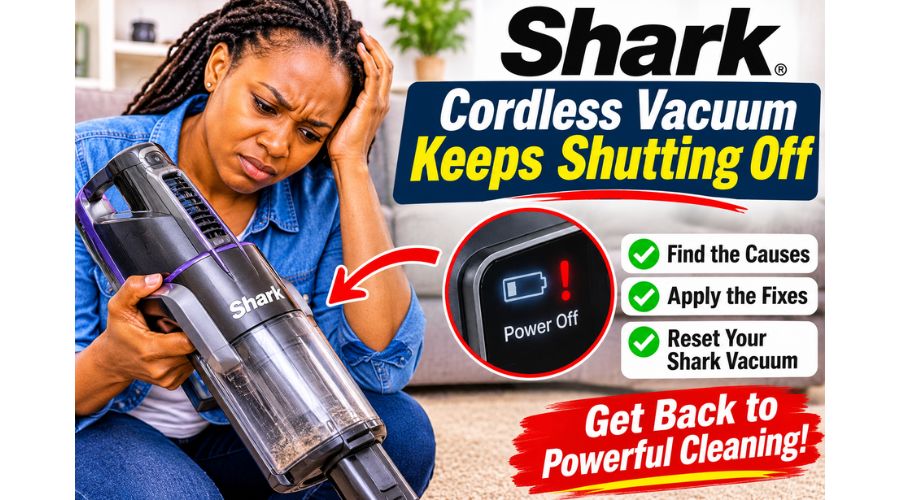
Cleaning the house after a busy workweek has never been easy, especially if you have kids or pets running around. Fortunately, technological advancements have brought cordless vacuum cleaners that make cleaning more bearable. You are in an even better place if you own a Shark cordless vacuum cleaner, as it features a highly potent, versatile, lightweight, and noiseless design that surpasses most of its counterparts.
However, as efficient as it is, your Shark cordless vacuum may act up at some point, especially after heavy-duty cleaning. Constantly pausing your cleanup because your Shark cordless vacuum keeps shutting off can be a nuisance.
If your Shark cordless vacuum keeps shutting off while you clean, the problem may be a blocked airflow path, a dirty filter, overheating, or a battery issue. The vacuum may stop after a few seconds, turn off when you use the floor head, or lose suction before shutting down. These interruptions can be frustrating, especially when the battery appears fully charged.
Fortunately, many causes of a Shark vacuum that keeps turning off are simple to identify and fix at home
This article provides a step-by-step guide to help you address the issue efficiently.
Why Does my Shark Cordless Vacuum Keep Shutting Off? Causes and Fixes
If your Shark cordless vacuum keeps shutting off, check for restricted airflow and overheating before assuming the battery has failed. The cause may also depend on when the vacuum stops: while using the floor head, after a few seconds, or only when the battery is low.
Turn off the vacuum and remove the battery if your model allows it before inspecting or cleaning any parts.
A Blockage Is Restricting Airflow
A blockage in the wand, hose, floor head, or dust cup can restrict airflow and cause the vacuum to lose suction or shut off. Hair, dust, paper, and larger debris may collect in narrow passages, particularly when you use the vacuum frequently or clean up larger particles.
When airflow is restricted, the motor must work harder to draw air through the machine. This can reduce suction and may cause the vacuum’s protective system to stop the motor.
How to fix it: Turn off the vacuum and remove the battery if your model allows it. Empty the dust cup, then detach the wand and floor head as shown in the owner’s manual. Check each opening for trapped debris, using a flashlight to look through the wand if needed.
Carefully remove any blockage without damaging the hose or internal parts. If the Shark vacuum keeps shutting off when you use the floor head, inspect that attachment closely for debris lodged around its intake or brush roll. Reassemble the vacuum and test it.
The Filters Are Dirty or Clogged
Shark cordless vacuums use filters to capture dust and fine particles before air passes through the motor and exhaust system. Over time, these filters can become coated with dust, especially if you vacuum frequently or clean up fine material.
A clogged filter restricts airflow, which can cause weak suction and make the motor work harder. In some cases, the vacuum may shut off to protect itself from overheating. A full dust cup can make the problem worse by further restricting airflow.
How to fix it: Switch off the vacuum and remove the battery if the model permits. Remove the filters as directed in the owner’s manual and tap loose dust into a bin. If the manual says the filters are washable, rinse them with water only and let them dry completely before reinstalling them.
Never run the vacuum with wet filters, as moisture can damage internal components. Filter locations and cleaning instructions vary by model, so consult the manual before removing or washing any filter. Once the filters are clean and dry, reinstall them securely and test the vacuum.
The Vacuum Is Overheating
A Shark cordless vacuum may shut off automatically when its motor becomes too hot. Overheating can develop when airflow is restricted by a blockage, dirty filters, or a full dust cup.
It can also happen when you use the vacuum for an extended period or under a heavy load. You may notice the vacuum stops during cleaning and starts working again after it has cooled down. However, cooling it down without addressing the cause may only provide a temporary solution.
How to fix it: Turn off the vacuum and let it cool for at least 45 minutes or follow the cooling guidance in your model’s manual. While it cools, empty the dust cup and check the filters, wand, and floor head for blockages.
Do not repeatedly restart the vacuum while it is hot. If it continues to overheat after you clear the airflow path and clean the filters, stop using it and contact Shark support or a qualified repair technician.
The Battery Is Low, Worn, or Not Seated Correctly
If your Shark cordless vacuum shuts off after a short period, the battery may not be holding a charge. A worn battery can sometimes show a full charge but lose power quickly once the motor begins drawing energy. The vacuum may also stop unexpectedly if the battery is not fully seated or its contacts are dirty.
Battery-related shutdowns may be more noticeable in higher-power settings, which place greater demand on the battery.
How to fix it: Make sure the battery is securely attached and charge it using the charger specified for your model. Check the charging indicators and allow the battery to complete its normal charging cycle.
If the vacuum runs only briefly after a full charge, compare its runtime with the manufacturer’s guidance. A significant reduction in runtime may mean the battery needs to be replaced. Use only a compatible, approved battery, and do not open or attempt to repair the battery pack yourself.
The Brush Roll Is Jammed
If the vacuum shuts off mainly when the floor head is attached, the brush roll may be tangled with hair, string, carpet fibers, or other debris. A jammed brush roll can prevent the head from operating properly and put extra strain on the motor. This issue is especially common in homes with pets or long hair, because fibers can wrap tightly around the brush and collect near its ends. If the vacuum works normally without the floor head but shuts off when the head is connected, the attachment may be the problem.
How to fix it: Turn off the vacuum and detach the floor head. Follow the manual’s instructions for accessing the brush roll, then carefully remove tangled hair and debris. Keep your fingers clear of sharp edges and do not force parts apart.
Before reassembling the head, check that the brush roll turns freely and the intake is clear. If the brush roll still will not rotate, or the vacuum continues to shut off when the head is attached, the floor-head motor or another component may need service.
The Dust Cup Is Full or Installed Incorrectly
A dust cup filled beyond its recommended level can restrict airflow and reduce suction. Debris may also collect around the cup’s inlet, preventing air from moving freely through the vacuum.
If you don’t reinstall the cup correctly after emptying it, it may not seal or latch as intended. Depending on the model, the vacuum may lose suction, stop unexpectedly, or fail to operate until the cup is fitted properly.
How to fix it: Empty the dust cup before it reaches the maximum fill line. Check for debris around the cup’s inlet and make sure the cup is fully seated and latched in place. Reinstall it according to the model’s instructions, then test the vacuum. If it still shuts off, inspect the filters and other airflow passages for remaining blockages.
The Vacuum Has an Electrical or Component Fault
If your Shark cordless vacuum keeps shutting off after you clear blockages, clean the filters, check the brush roll, and fully charge the battery, the problem may involve a faulty battery, switch, motor, charger, or internal connection. Electrical faults may cause the vacuum to stop unpredictably, fail to restart, or behave differently each time you use it. These problems are harder to diagnose without the correct tools and model-specific service information.
How to fix it: Stop using the vacuum if you notice a burning smell, unusual heat, visible damage, or repeated unexpected shutdowns.
Check the warranty and contact Shark support or an authorized repair service. Avoid opening the motor housing or modifying electrical components, as this can create a safety risk and may affect warranty coverage.
How to Reset Your Shark Cordless Vacuum When It Keeps Shutting Off
If your Shark cordless vacuum keeps shutting off, a reset may help after you clear a blockage, clean the filters, or allow the motor to cool. However, many Shark cordless models do not have a dedicated reset button.
In most cases, troubleshooting means switching the vacuum off, checking its airflow, and restarting it only after the underlying issue has been addressed.
Follow the instructions for your specific model, since parts and maintenance steps can differ.
Turn the Vacuum Off
Start by switching off your Shark cordless vacuum using its power button or trigger. If your model has a removable battery, take it out before inspecting or cleaning the vacuum. This helps prevent the motor from starting accidentally while you work.
If the vacuum has just stopped because of overheating, allow it to cool before attempting to restart it. Repeatedly switching it on while it is hot may cause it to shut off again.
Empty the Dust Cup
A full dust cup can restrict airflow and contribute to a Shark vacuum that keeps shutting off. Remove the dust cup according to your model’s instructions and empty the contents into a rubbish bin.
Check around the inlet for compacted dust, hair, or larger debris that may not fall out easily. If dirt remains stuck inside, remove it carefully without damaging the cup or its seals. Refit the dust cup securely before testing the vacuum.
Emptying it regularly can also help maintain suction and reduce strain on the motor.
Check for Blockages
A blockage in the wand, hose, floor head, or dust cup can make your Shark cordless vacuum keep turning off during cleaning. Detach the wand and floor head using the release buttons provided on your model. Look through each opening for hair, paper, dust buildup, or other debris.
A flashlight can help you see inside narrow passages.
Carefully remove any blockage, and avoid pushing objects deeper into the vacuum or using sharp tools that could damage internal parts. If the vacuum shuts off mainly when the floor head is attached, inspect the head’s intake and brush roll as well.
Clean the Filters
Dirty filters can restrict airflow, weaken suction, and cause the vacuum to overheat. Many Shark cordless vacuum cleaners have removable filters that require regular cleaning, but the recommended schedule varies by model and how often you vacuum.
Remove the filters according to the owner’s manual and tap loose dust into a bin. If the manual confirms that the filters are washable, rinse them with cold water only. Do not use soap or cleaning products unless the manufacturer specifically permits them.
Leave the filters to air-dry completely—often at least 24 hours—before reinstalling them. Never operate the vacuum with wet filters, as moisture can damage the motor or other internal components.
Inspect and Clean the Hose
If your Shark model has a hose, check it for trapped debris that could interrupt airflow. Detach it as directed in the manual and inspect both ends. Remove any visible obstruction carefully.
Do not pour vinegar, baking soda, hot water, or other cleaning mixtures into the hose unless Shark’s instructions for your exact model recommend doing so. These substances may damage materials or leave residue, and not every cordless model has a hose designed to be rinsed.
If the manual permits washing the hose, follow its stated method and let the hose dry completely before reinstalling it. Otherwise, clean it only as the manufacturer directs.
Check the Battery and Allow the Vacuum to Cool
A low, worn, or incorrectly seated battery can cause a cordless vacuum to stop unexpectedly. Make sure the battery is fitted securely and charge it using the charger specified for your model. If the vacuum shuts off after becoming hot, leave it switched off until it has cooled, following the manual’s guidance.
Do not use a battery that is swollen, cracked, leaking, or unusually hot. If the vacuum still shuts off soon after a full charge, the battery may need replacement, or the machine may require servicing.
Restart the Vacuum and Test It
Once the dust cup is empty, blockages have been cleared, and the filters and any washed parts are completely dry, reassemble the vacuum. Reinstall the battery if it is removed, then switch the vacuum on and test it briefly.
If it runs normally, continue cleaning while watching for the problem to return. If your Shark cordless vacuum keeps shutting off despite these checks, stop using it and consult the owner’s manual or Shark support.
The issue may involve the battery, motor, switch, or another component. Avoid opening the motor housing or attempting electrical repairs, particularly if the vacuum is still under warranty.
How to Maintain Your Shark Cordless Vacuum
Cleaning is a mind-numbing task, and having to perform it with a Shark cordless vacuum that keeps shutting off only makes it worse. Learning proper maintenance practices for your Shark cordless vacuum can go a long way toward improving its durability. These practices include:
Cleaning the vacuum regularly
Regular cleaning can help prevent clogging that leads to device malfunction. Cleaning, in this case, means washing or replacing the filters as needed. Also, check the brush roll and remove any tangled hair or debris to help the motor work properly. Fortunately, Shark vacuum cleaners feature detachable floorheads for convenience.
Turning off the vacuum when not in use
Consider turning off your Shark vacuum during cleanup tasks to help preserve the battery. Also, turn off the vacuum before cleaning it to avoid damaging the wires.
Frequently check for blockages.
The hose, airways, and wand are prone to blockages following prolonged usage, and it is advisable to check them for clogs frequently. If you have another vacuum cleaner, you can use it to clear blockages more easily.
Clear the dust cup when necessary
Another convenient feature of the Shark vacuum cleaner is the MAX fill line, which lets you know when to empty the bin. For this reason, avoid filling the dust cup to the brim to prevent blockages. Once debris reaches the MAX fill line, clear the dust cup for optimal performance.
Let the vacuum cool after prolonged use.
Your Shark cordless vacuum needs an occasional break after heavy-duty cleanup. This helps prevent overheating that usually leads to the vacuum shutting off owing to the motor protective thermostat.
How to Prevent a Shark Cordless Vacuum from Shutting Off
Regular maintenance can help prevent your Shark cordless vacuum from shutting off during cleaning. Empty the dust cup before it reaches the maximum fill line and check the filters and airflow passages regularly for dust or debris. Clean washable filters according to the manufacturer’s instructions and allow them to dry completely before reinstalling them. Remove hair and fibers from the brush roll to help it rotate freely.
Use the charger and battery recommended for your model and avoid storing the vacuum or battery in very hot or damp conditions. If the vacuum begins losing suction, becomes unusually hot, or repeatedly shuts off, stop using it and check for blockages before continuing. Follow the owner’s manual for model-specific maintenance and safety instructions.
The video below demonstrates and elaborates the reasons your Shark Vacuum keeps stopping. Watch and learn.
Frequently Asked Questions-FAQs
Why does my Shark cordless vacuum keep shutting off after a few seconds?
A blockage, clogged filter, overheating, or battery problem may cause the vacuum to stop shortly after starting. Turn it off, let it cool if needed, and check the dust cup, filters, wand, and floor head for obstructions.
Why does my Shark vacuum shut off when I use the floor head?
Hair or debris may be tangled around the brush roll, or the floor head’s intake may be blocked. Turn off the vacuum, detach the head, and carefully clear the brush roll and airflow path.
Can a dirty filter make a Shark vacuum shut off?
Yes. A clogged filter can restrict airflow, reduce suction, and cause the motor to work harder. Clean or replace the filter according to your model’s instructions, and make sure washable filters are completely dry before reinstalling them.
Why does my Shark cordless vacuum keep shutting off with a full battery?
A full charge does not rule out a worn or faulty battery. The vacuum may also be overheating or experiencing restricted airflow. Check for blockages and clean the filters; if the problem continues, the battery or another component may need servicing.
How do I reset a Shark cordless vacuum?
There is no single reset procedure for every Shark cordless model. Turn the vacuum off, remove the battery if the model allows it, and let the machine cool if it overheated. Reinstall the battery and check the owner’s manual for model-specific reset or troubleshooting instructions.
Can you wash Shark filters?
Yes, you can. A Shark vacuum comes with premotor filters (including the felt and foam filters) and a HEPA filter. Cleaning frequency varies: the pre-motor filters need regular cleaning, unlike the HEPA filter. It is recommended that you wash the premotor filters at least once every three months and the latter every year.
What should I do if my brush-roll has stopped spinning on my Shark vacuum?
Check the brush for tangled debris or hair and remove it with scissors. The brush roll is prone to trapping hair, especially if your household includes a pet. However, if the brush has no debris, the motor may be faulty, and you may need to replace it.
Conclusion
Although the Shark cordless vacuum provides undeniable convenience, it may malfunction occasionally. Because of its exemplary features and high quality, Shark vacuums tend to cost an arm and a leg, which can make you panic whenever your vacuum malfunctions or keeps shutting off.
However, worry not, because resetting your Shark cordless vacuum using the steps discussed above should help you resolve the problem. Ultimately, practice proper maintenance of your Shark vacuum to prevent a similar issue in the future.