
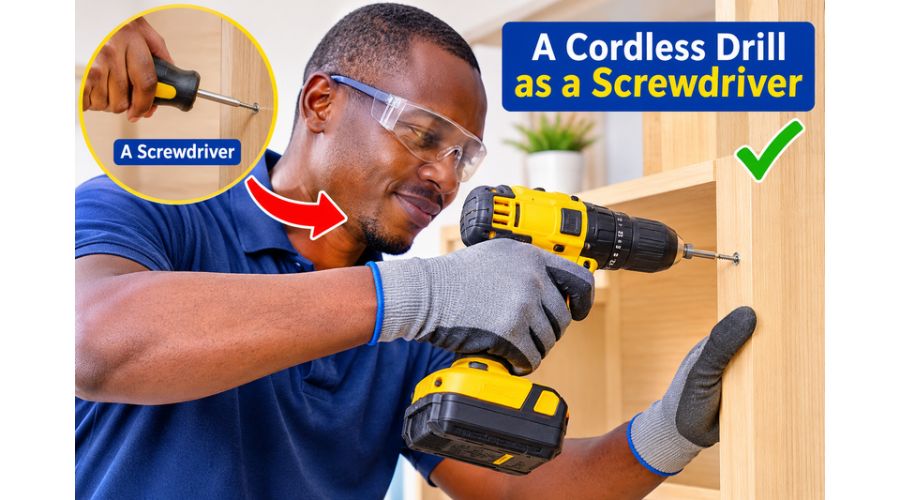
Every woodworker or DIY enthusiast will undoubtedly fancy a multi-purpose tool. A 2-in-1 tool saves on the cost of purchasing a second model and saves space and adds convenience at work. A versatile tool is an essential addition to your tool collection. Examples include drills and screwdrivers.
So, can you use a cordless drill as a screwdriver? Yes! A cordless drill is a versatile power tool that can do more than drill holes. With the right screwdriver bit and settings, you can use a cordless drill to drive screws into wood, drywall, metal and other materials.
Whether you’re assembling furniture, installing shelves, or completing DIY projects, using a cordless drill as a screwdriver can save you time and effort compared to using a manual screwdriver.
However, knowing how to use a cordless drill to drive screws properly is essential to avoid stripping screw heads, damaging materials, or driving screws too deep. The correct drill speed, torque setting and screwdriver bit make a significant difference.
In this guide, we will illustrate how to use a cordless drill as a screwdriver, settings to choose, and when an electric screwdriver may be a better option.
Can You Use a Cordless Drill as a Screwdriver?
Yes, you can use a cordless drill as a screwdriver. In fact, many cordless drills are designed to do both, making them useful for a wide range of home improvement and DIY projects.
A cordless drill can drive screws into wood, drywall, plastic, and certain metals when fitted with the right screwdriver bit. Its rechargeable battery lets you work without a power cord, while its variable-speed trigger lets you control how quickly the screw enters the material.
Most cordless drills also feature an adjustable clutch, which helps control the amount of torque applied when driving screws. This is particularly useful when assembling furniture, installing cabinets, or working with softer materials that can be damaged by excessive force.
However, a cordless drill is different from an electric screwdriver. While both tools can drive screws, a drill provides more power and operates at higher speeds. Understanding how to adjust your cordless drill for screwdriving will help you achieve better results and avoid damaging your screws or workpiece.
How to Use a Cordless Drill as a Screwdriver
Using a cordless drill to drive screws is straightforward, but choosing the correct screwdriver bit, speed, and torque setting is crucial. These adjustments help prevent stripped screw heads, damaged materials, and screws driven too deep.
Follow these steps to use your cordless drill safely and effectively as a screwdriver.
Choose the Right Screwdriver Bit
Start by selecting a screwdriver bit that matches the screw head. Common options include Phillips, flathead, Torx, and square-drive bits.
Using the correct bit helps the screwdriver bit grip the screw securely, reducing the risk of slipping or stripping the screw head.
For example, a Phillips screw requires a Phillips bit, while a Torx screw needs a matching star-shaped bit.
Open the drill’s chuck counterclockwise and insert the screwdriver bit into the drill’s chuck and tighten it securely. If you are using an impact-rated bit with a compatible drill, make sure it is designed for the type of screw you’re driving.
Adjust the Drill’s Torque Setting
Most cordless drill drivers have an adjustable clutch that lets you control the torque applied when driving screws.
The clutch setting determines how much rotational force the drill applies before the clutch disengages.
For small screws or soft materials, use a lower torque setting. For larger screws or harder materials, you may need a higher setting.
Start low and increase gradually until the screw reaches the desired depth without damaging the material.
If your drill has a dedicated screw-driving mode, use that setting instead of the drilling mode.
Set the Correct Drill Speed
Cordless drills typically have variable-speed triggers and a two-speed gearbox.
When driving screws, start at a low speed to maintain control and prevent the screwdriver bit from slipping.
Once the screw begins to enter the material, you can gradually increase the speed if necessary.
Avoid using the highest speed setting for small screws or delicate materials. Excessive speed can strip the screw head, damage the workpiece, or overheat the screw.
Position the Drill Correctly
Place the screwdriver bit firmly into the screw head and hold the drill perpendicular to the surface.
Apply steady forward pressure while keeping the drill aligned with the screw.
If the drill is tilted, the bit may slip out of the screw head and damage it.
For harder materials, consider drilling a pilot hole before driving the screw. A pilot hole helps guide the screw and reduces the risk of splitting wood.
Drive the Screw Slowly
Pull the trigger gently and allow the screw to enter the material gradually.
Maintain steady pressure and keep the drill aligned with the screw.
As the screw approaches the surface, reduce the speed to avoid driving it too deep.
Release the trigger once the screw reaches the desired depth.
If the drill’s clutch begins clicking before the screw is fully seated, increase the torque setting slightly and try again.
For delicate materials, it is better to finish tightening the screw by hand than to risk damaging the workpiece.
What Drill Settings Should You Use for Driving Screws?
Choosing the correct cordless drill settings is important when using a cordless drill as a screwdriver. The right combination of speed, torque, and direction helps you drive screws efficiently without stripping the screw head or damaging the material.
Most cordless drill drivers have a clutch, a variable-speed trigger, and a forward/reverse switch. Understanding these features will help you get better results when driving screws into wood, drywall, metal, and other materials.
Torque Settings
The torque setting controls how much rotational force the drill applies when you drive a screw. Most cordless drills have an adjustable clutch with numbered settings.
- Low torque: Best for small screws, softwood, and delicate materials.
- Medium torque: Suitable for general-purpose screwdriving, such as assembling furniture.
- High torque: Useful for larger screws and harder materials that require more driving force.
Start with a low torque setting and increase it gradually until the screw reaches the desired depth.
If the clutch repeatedly disengages before the screw is fully seated, increase the torque setting slightly. Avoid using maximum torque unless the application requires it.
Drill Speed Settings
Many cordless drill drivers have a two-speed gearbox.
The low-speed setting offers more torque and better control, suitable for driving larger screws or working with delicate materials.
The high-speed setting is ideal to drill holes and may be useful for driving small screws into softer materials.
When using a cordless drill as a screwdriver, start slowly and increase the speed as needed. This helps prevent the bit from slipping out of the screw head.
Forward and Reverse Settings
Use the forward setting to drive screws into the material. Switch to reverse when you need to remove screws.
Before changing direction, release the trigger and allow the drill to stop completely.
Using the correct direction ensures the screw moves as intended and helps prevent unnecessary damage to the screw head.
What Is the Difference Between a Cordless Drill and an Electric Screwdriver?
A cordless drill and an electric screwdriver can both drive screws, but they are designed for slightly different tasks.
A cordless drill is a versatile power tool that can drill holes and drive screws. An electric screwdriver is primarily designed for fastening and removing screws.
| Feature | Cordless drill | Electric screwdriver |
| Main purpose | Drilling holes and driving screws | Driving and removing screws |
| Power | Generally higher | Generally lower |
| Speed | Often higher and adjustable | Usually lower |
| Torque | Typically higher, with adjustable clutch | Usually lower, depending on model |
| Best use | DIY projects, furniture assembly, and construction | Light repairs and small assembly jobs |
When Should You Use a Cordless Drill?
A cordless drill is an excellent choice when you need to drive screws into wood, install shelves, assemble furniture, or complete larger home improvement projects.
Its higher power and adjustable torque make it suitable for a wide range of materials and screw sizes.
When Should You Use an Electric Screwdriver?
An electric screwdriver is more convenient for small repairs, light assembly, and jobs involving many small screws.
Its compact design and lower power can make it easier to control when working with delicate materials.
Common Mistakes to Avoid When Using a Cordless Drill as a Screwdriver
Although a cordless drill can make screwdriving faster and easier, using the wrong technique can damage screws, materials, and the tool itself. Avoiding these common mistakes will help you achieve better results when driving screws with a cordless drill.
Using the Wrong Screwdriver Bit
Using a screwdriver bit that does not match the screw head can cause the bit to slip or strip the screw.
Always select a bit that fits the screw head securely. A properly fitted bit reduces slipping and provides better control when driving screws into wood, drywall, or metal.
Applying Too Much Torque
Excessive torque can drive screws too deep, damage the material, or strip the screw head.
This is especially problematic with softwood, plastic, and furniture components.
Start with a low clutch setting and increase it gradually until the screw reaches the desired depth.
Driving Screws at Excessive Speed
Using high speed when driving screws can make the drill hard to control.
The screwdriver bit may slip, the screw may become damaged, or the material may split.
Start slowly and increase the speed only when necessary. Reduce the speed again as the screw approaches the surface.
Failing to Drill Pilot Holes
When driving screws into hardwood or near the edge of a wooden board, the material may split.
Drilling a pilot hole guides the screw and reduces the force required to drive it.
Use a drill bit that is appropriate for the screw size and material.
Holding the Drill at an Angle
If the drill is not aligned with the screw, the screw may enter the material at an angle.
This can result in poor fastening, damaged screw heads, or uneven surfaces.
Hold the drill perpendicular to the workpiece and maintain steady pressure throughout the screwdriving process.
Can You Use a Cordless Drill to Remove Screws?
Yes. A cordless drill can be used to remove screws as well as drive them into materials.
Most cordless drill drivers have a forward/reverse switch that allows you to change the direction of rotation.
To remove a screw, follow these steps:
- Select a screwdriver bit that matches the screw head.
- Insert the bit securely into the drill’s chuck.
- Switch the drill to reverse mode.
- Position the bit firmly in the screw head.
- Apply steady pressure and pull the trigger slowly.
- Continue until the screw is completely removed.
If the screw is difficult to remove, avoid applying excessive force immediately. A stripped screw head or damaged material can make the job more difficult.
For screws that are stuck due to rust, paint, or excessive tightening, consider using a manual screwdriver or a suitable screw extractor.
Can a Cordless Drill Damage Screws?
Yes. A cordless drill can damage screws if you use it incorrectly.
Common problems include stripped screw heads, broken screws, and screws driven too deep into the material.
These problems often occur when the drill is operated at excessive speed, the torque setting is too high, or the screwdriver bit does not fit the screw properly.
To prevent damage, use the correct screwdriver bit, start at a low speed, and adjust the clutch according to the material and screw size.
When working with delicate materials, stop driving the screw just before it reaches the final depth and finish tightening it carefully.
A cordless drill is a convenient tool for screwdriving, but proper technique is essential to avoid damaging your screws and workpiece.
Factors to Consider When Using a Cordless Drill as a Screwdriver
Back off the clutch
Every drill has torque control, also called a clutch, located behind the chuck. The clutch is calibrated with specific numbers that indicate the amount of torque that can be produced by the drill.
If you intend to use the drill as a screwdriver, then you must efficiently learn how to utilize the slip clutch since it monitors the amount of torque you are applying to your project, whether it is for screwing or unscrewing screws.
If the right amount of torque is not applied, the chuck will stop turning as the clutch will back off, which will inhibit the drill from being used as a screwdriver.
Another aspect you must learn when using a cordless drill as a multi-tool is the nature of the speed. For instance, when a slip clutch has a higher speed, such a drill can be used as a driver for large and fat screws, while a slip clutch with low speed is applied in projects where small and thin screws are driven or removed.
Moreover, when learning about speed and torque, it is essential to determine the nature of the material you are working with. For example, if you need to drive a screw into a soft material like fir, cedar, or pine, lower the speed and torque to prevent damage.
Conversely, hardwoods like mahogany or oak require higher speed and torque, so the material is an essential factor to consider.
Have the right bit in place
You cannot go wrong with the bit type you want to use when a cordless drill is used as a screwdriver. The most relevant question is: can you use a cordless drill as a screwdriver? With the right bit, you can use a drill as a driver.
Ensure that you choose the correct screwdriver bit for the screw you intend to use. This should not be an issue, however, because the bit’s metal contains the bit information. Moreover, if you are still unsure whether you have chosen the right bit, you can take further precautions by holding the bit at a 45-degree angle to the screw. This will help you tell if you are using the right bit: if the screw does not fall out and stays in the bit.
The screw should be firmly held.
Another essential precaution when using a cordless drill as a driver is to keep the screw secure. The screw can sometimes slip off the board while in use.
However, if you want to ensure this doesn’t happen, you need to carefully grip the sides and hold the screw in place until the screw gets into the material to a point where slipping cannot occur, as a measure to enhance the safety of using the tool.
Make a clearance hole.
Learning to drive the screw without cracking the board is as important as learning how to control the slip clutch. To use the cordless drill as a driver without damaging the board, pre-drill a hole the same diameter as the screw.
The clearance hole you make lets the screw pass through the board without cracking the material, which is a practical precaution.
Utilize the magnetic bit tip holder.
Another precaution that you need to take when you intend to use a drill as a screwdriver is to use a magnetic bit tip holder, which facilitates the easy and convenient changing of the bits to guarantee that you can complete your job easily and fast.
Most importantly, the holder also extends the length of the drill bits, allowing you to reach screws deep inside the board or drive them to the required depth.
Moreover, the holder will allow you to hold the metal screw in place to improve your driving job of the screw inside the board.
Safety Measures When Using a Cordless Drill as a Screwdriver.
Determine when to use a reverse switch on the drill.
The first precaution is deciding when to use the drill’s reverse switch. All power drills have a forward (clockwise) and reverse (counterclockwise) switch that is usually placed right above the trigger.
After you finish drilling, set the bit to reverse (counterclockwise), so it comes out of the hole quickly and cleanly. Reverse mode is also important here because it helps remove the other fasteners and screws.
Using a cordless drill as a screwdriver makes fastening tasks faster and easier, but improper handling can cause injuries or damage your workpiece. Whether you are assembling furniture, installing shelves, or driving screws into wood, following these safety measures will help you work confidently and avoid common accidents.
Wear Appropriate Personal Protective Equipment
Always wear safety glasses when using a cordless drill to drive screws. Small wood chips, metal fragments, and other debris can fly toward your eyes, particularly when working with hard materials.
Avoid loose clothing, dangling jewelry, or anything that could become caught in the drill’s rotating chuck. If you have long hair, tie it back securely before starting work.
For extended drilling or fastening tasks, consider wearing hearing protection if the noise level is excessive.
Secure the Workpiece Before Driving Screws
Always make sure the material you are working on is stable before using a cordless drill as a screwdriver.
Use clamps or a suitable workbench to hold the workpiece firmly in place. This prevents the material from shifting when you apply pressure to drive the screw.
For example, when assembling furniture or fastening wooden boards, securing the material helps you maintain control of the drill and reduces the risk of the screwdriver slipping.
Never attempt to hold a small workpiece in one hand while driving a screw into it with the other.
Use the Correct Screwdriver Bit and Drill Settings
Choose a screwdriver bit that matches the screw head. A poorly fitted bit can slip, strip the screw head, or cause the drill to twist unexpectedly.
Before driving the screw, select the appropriate torque setting and begin at a low speed. Increase the torque gradually if necessary.
Using the correct drill settings helps prevent screws from breaking, damaging the material, or becoming overtightened.
Keep Your Hands Away from Moving Parts
Never touch the rotating chuck or screwdriver bit while the drill is running.
Hold the drill by its designated handle and maintain a firm grip throughout the operation. Keep your fingers away from the screw head and the point where the screw enters the material.
If you need to adjust the screwdriver bit, change the direction of rotation, or inspect the screw, release the trigger, and wait for the drill to stop completely.
Inspect the Drill and Battery Before Use
Before using a cordless drill as a screwdriver, inspect the tool, battery, and screwdriver bit for visible damage.
Check that the battery is securely attached and that the screwdriver bit is properly seated in the chuck.
Do not use a drill with a damaged battery, cracked housing, loose chuck, or malfunctioning trigger. Damaged equipment can cause unexpected movement or electrical hazards.
If the drill becomes unusually hot, produces a burning smell, or makes abnormal noises, stop using it and inspect the tool according to the manufacturer’s instructions.
Frequently Asked Questions
Can a cordless drill be used as a screwdriver?
Yes. A cordless drill can be used as a screwdriver by fitting it with a compatible screwdriver bit and selecting the appropriate screw-driving mode. Adjust the clutch to control torque and use the variable-speed trigger to drive screws without damaging the screw head or material.
Do you need a special drill bit to drive screws?
You need a screwdriver bit that matches the screw head, such as Phillips, flathead, Torx, or square drive. A standard cordless drill can hold these bits in its chuck, if the bit has a compatible shank. Using the correct bit helps prevent slipping and stripped screw heads.
What is the difference between a drill and a screwdriver?
A cordless drill is designed for drilling holes and driving screws, while an electric screwdriver is primarily designed for fastening and removing screws. A drill offers greater power and versatility, making it suitable for larger DIY projects. An electric screwdriver is often more compact and convenient for light assembly work.
What drill setting should I use for screws?
Use the screw-driving mode and begin with a low clutch setting. Increase the torque gradually until the screw reaches the desired depth. For most screw-driving tasks, the low gearbox speed provides better control and higher available torque. Always test the setting on scrap material first.
Can a cordless drill damage screws?
Yes. A cordless drill can strip screw heads, break screws, or drive them too deeply if the wrong bit, excessive torque, or high speed is used. Use a correctly fitted screwdriver bit, start slowly, and adjust the clutch to suit the screw and material.
Can you use a cordless drill to assemble furniture?
Yes. A cordless drill is useful for assembling furniture, particularly when driving multiple screws. Use a low torque setting and slow speed to avoid damaging the furniture panels or overtightening fasteners. For delicate components, finish tightening by hand.
Can you use a cordless drill to drive drywall screws?
Yes. A cordless drill can drive drywall screws into wood or metal framing if the screw and drill bit match the material. However, avoid driving the screw too deep, as this can damage the drywall surface and reduce the fastener’s holding strength.
Can you use a cordless drill to remove screws?
Yes. Switch the drill to reverse mode, fit the correct screwdriver bit, and apply steady pressure while gently pulling the trigger. If the screw is stuck or its head is damaged, a manual screwdriver or screw extractor may provide better control.
Conclusion
A cordless drill can be used as a screwdriver for many household repairs, furniture assembly, and DIY projects. With the right screwdriver bit, torque setting, and drill speed, you can drive screws into wood, drywall, metal and other materials efficiently.
The key is to use a cordless drill as a screwdriver without damaging the screw head or workpiece. Start with a low torque setting, use the appropriate speed, and apply steady pressure while keeping the drill aligned with the screw.
For larger projects, a cordless drill provides the power and versatility needed to complete the work quickly. For delicate materials and small fasteners, an electric screwdriver may provide better control.
Ultimately, choosing the right tool and using the correct technique will help you achieve secure, professional-looking results while extending the life of your cordless drill and accessories